





DTF Transfer Settings: The Master Guide to Time, Temperature, and Pressure

In the professional apparel industry, the heat press acts as the final gatekeeper of quality. You can have high-resolution artwork and stable ink chemistry, but incorrect dtf transfer settings will cause the entire product to fail. Applying a DTF transfer is a thermal-mechanical process—it requires the precise synchronization of time, temperature, and pressure.
For Texas decorators, this process is further complicated by the diverse range of fabrics used in the region, from heavy-duty 100% cotton workwear to moisture-wicking polyester athletic gear. Mastering the "science of the press" ensures that the TPU adhesive achieves a deep mechanical bond with the fabric fibers. This guide provides the industrial framework for perfecting your dtf pressing instructions.
Master Chart: Time and Temp for Every Fabric
To minimize production downtime, we have placed the primary settings at the top of this guide. Use these as your baseline, but always perform a test strip when starting a new fabric batch.
| Fabric Type | Temperature | Time (Seconds) | Pressure Level |
| 100% Cotton | 300°F - 320°F | 12 - 15 Seconds | Medium/Heavy (60 PSI) |
| Polyester / Performance | 265°F - 280°F | 10 - 12 Seconds | Medium (40-50 PSI) |
| 50/50 Blends / Tri-Blends | 285°F - 300°F | 12 Seconds | Medium/Heavy (50 PSI) |
| Nylon / Treated Fabrics | 250°F - 265°F | 8 - 10 Seconds | Light/Medium (30 PSI) |
The Science of Adhesion: Why Settings Matter
To achieve professional results, you must control the phase change of the TPU adhesive. When you engage the heat press, the powder undergoes thermal liquefaction.
Set your temperature high enough to liquefy the TPU adhesive completely, but keep it low enough to avoid scorching the fabric or triggering "dye migration" in synthetic fibers. Once liquid, the pressure forces the adhesive into the "valleys" of the fabric weave. Insufficient pressure causes most wash-off failures because the transfer sits on top of the fibers rather than wrapping around them.
Pressure Levels: Getting the Perfect "Bite"
Pressure remains the most underrated variable in dtf transfer settings. You should aim for what we call the "Bite." When the press opens, you should see the subtle texture of the fabric weave through the ink.
- Manual Presses: You must feel significant resistance when locking the handle. If the press closes with a single finger, your pressure is too low.
- Pneumatic Presses: Set your gauge between 50 and 60 PSI for standard cotton. Drop to 30-40 PSI for delicate synthetics to prevent "heat press box" marks on the garment.
The Cold Peel vs. Hot Peel Debate
The timing of the film removal depends entirely on the chemical coating of your PET film.
Cold Peel (The Industrial Standard)
Most high-durability transfers require a "Cold Peel." You must let the transfer reach room temperature before removing the film. This allows the adhesive to fully re-solidify and lock onto the fibers. Peeling while warm can cause "pitting" or "tearing" in the ink layer.
Hot Peel (The High-Volume Option)
Hot peel films allow carrier removal within 1-3 seconds of opening the press. While this increases production speed, it requires a perfectly calibrated heat press with zero cold spots.
Iris DTF Recommendation: For the highest level of detail retention and wash-fastness, we recommend Instant Cold Peel for most Texas-based production shops.
Troubleshooting: Diagnostic Checklist
Use this checklist to identify and resolve common application failures:
- Problem: Print peels after the first wash.
- Solution: Usually caused by low pressure or low temperature. Increase your pressure by 10 PSI and add 2 seconds to the timer.
- Problem: Bubbling or "pitting" in the ink.
- Solution: This indicates trapped moisture. Because Texas humidity levels are high, increase your "Pre-Press" time to 10 seconds to fully dehydrate the garment.
- Problem: White ink looks pink on red/dark polyester.
- Solution: This is Dye Migration. Your temperature is too high. Drop to 270°F and use a low-bleed DTF powder.
- Problem: Adhesive "Halo" around the print.
- Solution: Excessive heat or pressure is causing the liquefied TPU to squeeze past the ink boundaries. Reduce temperature by 10°F.
The Second Press: The Professional Finish
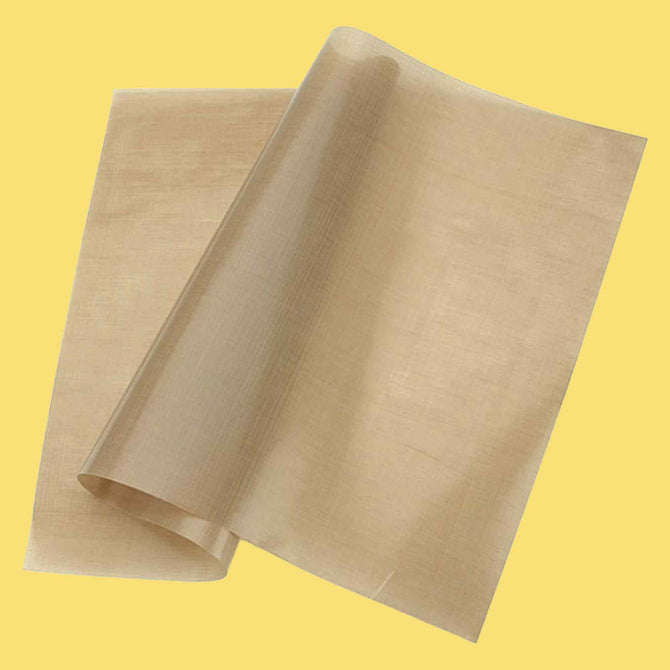
For an industrial-grade finish, always perform a Second Press (Post-Press). After peeling the film, place a piece of parchment paper over the print and press for another 5 to 8 seconds. This "sets" the ink and drastically improves the hand-feel and durability of the garment.
Your heat press is a precision instrument. The settings you choose dictate the lifespan of the garment. By mastering the balance of time, temperature, and pressure—and accounting for the specific moisture levels in your shop—you ensure that every product leaving your facility meets professional standards.
Ready to apply these settings to the best film in the business? Shop Iris DTF’s High-Performance Custom Transfers and download our printable application sheets today.
FAQ: DTF Transfer Settings
1. My heat press shows the correct temp, but the transfer isn't sticking. Why?
Heat presses often develop "cold spots." Use an infrared thermometer to verify the platen heats evenly. A 15°F drop in a corner can cause a total adhesion failure.
2. Does the garment color affect the settings?
Generally, no. However, dark polyester requires lower temperatures (265°F - 275°F) to prevent fabric dyes from turning into gas and bleeding into your white ink layer.
3. Why is my transfer "lifting" during the peel?
If you are using Cold Peel, the adhesive likely hasn't cooled enough. If you are using Hot Peel, your pressure was likely too low to create the initial mechanical bond.