



Custom Neck Labels: What They Are and How to Use Them

Putting your own brand name on the inside collar used to mean ordering woven tags from a label manufacturer, usually with a minimum order and a wait. Custom neck labels skip that step entirely, printing the same information a sewn tag would carry, straight onto the garment with DTF. Here's what they actually are and how to design your first one.
What Is a Custom Neck Label?
A custom neck label is a tagless, DTF-printed label pressed directly onto the inside collar in place of a traditional sewn-in tag. It carries the same information a woven tag usually would, brand name or logo, fabric composition, care instructions, and sizing, just printed full-color instead of stitched. Because it's applied with a heat press, it goes on at the same stage as the rest of a garment's decoration, no separate manufacturer or lead time required.
Step 1: Pick a Label Style
Custom Label comes in seven label styles to choose from before any customization starts. Each style sets the basic layout, so this is the one decision that shapes how the rest of the label reads once the brand details are added.
Step 2: Add Your Brand Details
Once a style is picked, the label becomes yours to fill in:
- Logo or brand name. Upload a logo file or just type the brand name directly, whichever the design calls for.
- Fabric composition. The text a traditional tag would carry, like "100% Cotton" or a blend percentage, entered as a customizable detail.
- Care instructions. Wash and dry guidance, added the same way as fabric content.
- Sizing information. The size shown on the label itself, matched to the garment it's going on.
None of this requires design software, every field is filled in directly on the product page before checkout.
Step 3: Choose Your Size
Sizes run from XS through 5XL, which match the actual garment the label is going onto rather than a single universal label size. That matters for a private-label order running multiple sizes, the label itself should match the shirt it's pressed onto, not just the brand's logo.
Step 4: Press It On
A custom neck label presses on with a heat press or a household iron:
| Fabric | Temperature | Time |
|---|---|---|
| Cotton, 50/50 blends | 139°C (282°F) | 9 seconds |
| Synthetic, polyester | 139°C (282°F) | 6 seconds |
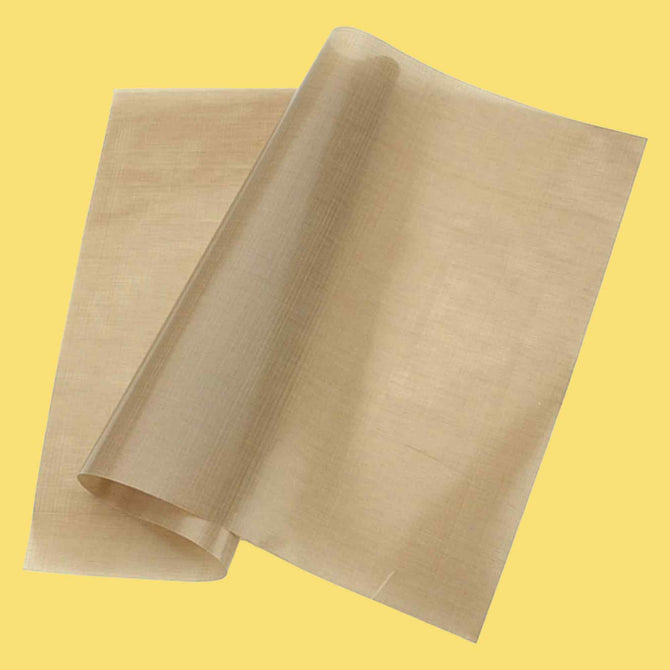
Use medium pressure, then peel the backing hot or after it cools, either works. For a label that holds up to repeat washing, cover it with parchment paper and press once more for 5 seconds after peeling. The full pressing guide covers heat presses, irons, and Cricut EasyPress if it's your first time pressing anything DTF.
Need Help With Your First Label?
Call the Iris DTF team and we'll help you pick a label style, check your logo file, and match label sizes to your garments.
Phone: Mon to Sat, 9 AM to 5 PM CT · Chat available 24/7
Who Actually Needs One?
Custom neck labels make the most sense for anyone finishing a garment that's going out under their own name, a private-label seller building a first product line, a small brand that's outgrown blank shirts with no branding at all, or a shop that wants retail-ready pieces without paying a label manufacturer's minimum order. Compare that to the alternative: a blank collar tells a customer nothing about the brand, and a woven tag from a separate supplier adds a lead time that doesn't match the rest of a DTF order's turnaround.


Why Tagless Beats a Sewn-In Tag for a Small Order
A woven tag makes sense once a brand is ordering thousands of units at once, the per-unit cost drops low enough to justify a separate supplier and a minimum order. For everything smaller than that, a sewn tag adds a second vendor, a second lead time, and a minimum quantity that rarely matches what a small or growing label actually needs. A tagless DTF label skips all three: it prints alongside the rest of a DTF order, scales down to a single garment without a minimum, and ships on the same timeline as everything else in the order. The tradeoff runs the other way at high volume, but for a first product run or a line that's still finding its size, tagless is the version that doesn't ask a small order to behave like a large one.
Ready to Make Yours?
Pick a style, add your brand details, and get your first batch of custom neck labels printed the same way as the rest of a DTF order, no separate manufacturer or minimum required.
Custom Neck Labels - FAQ
What is a tagless neck label?
It's a label printed directly onto the garment with DTF instead of sewn in as a separate woven tag. It carries the same brand, fabric, and care information, just applied with heat instead of stitching.
Can I use my own logo on a custom neck label?
Yes. Upload a logo file during customization, or type the brand name directly if a logo isn't ready yet.
What sizes are custom neck labels available in?
XS through 5XL, matched to the size of the garment the label is going onto.
How do I press a custom neck label without scorching it?
Use medium pressure at 139°C (282°F), 9 seconds for cotton or 50/50 blends and 6 seconds for synthetic or polyester, then peel hot or cold.
Do custom neck labels work on every fabric type?
The listed settings cover cotton, 50/50 blends, synthetic, and polyester, which accounts for most garments a private-label order would use.