

DTF Transfer Troubleshooting: The Ultimate Time and Temp Checklist for 2026

What Is This Article About?
Every ruined garment in your scrap pile is a direct hit to your profit margin. Most of the time, the culprit isn't your design or your film; it's a simple calibration error. You've likely felt the frustration of a cold peel that won't release or a vibrant print that turns dull after just one wash. It's exhausting to deal with inconsistent results when customer deadlines are looming. Effective dtf transfer troubleshooting isn't about luck. It's about precision.
We're here to help you stop wasting blanks and start delivering professional quality every single time. This article provides our ultimate 2026 diagnostic checklist to help you master your heat press settings with total confidence. You'll get the exact time and temperature formulas for everything from standard cotton to heat-sensitive polyesters. We'll also cover the new 2026 REACH safety standards and the "Golden Triangle" of pressure, time, and temperature to ensure your prints hit that 50 plus wash durability mark. It's time to turn your heat press into a zero-fail production engine.
Key Takeaways
- Stop wasting inventory by identifying the specific causes of edge lifting and fabric scorching before you press.
- Master the "Golden Triangle" of adhesion to find the perfect balance between high heat and extended press times for maximum durability.
- Simplify your dtf transfer troubleshooting by correcting ink saturation and adhesive powder coverage issues at the source.
- Protect your prints from North Texas humidity and temperature shifts with localized workflow adjustments that prevent powder clumping.
- Ensure professional results every time with inspected gang sheets and fresh supplies from Richardson’s own Iris DTF.
The DTF Transfer Troubleshooting Checklist: Identifying Common Failures
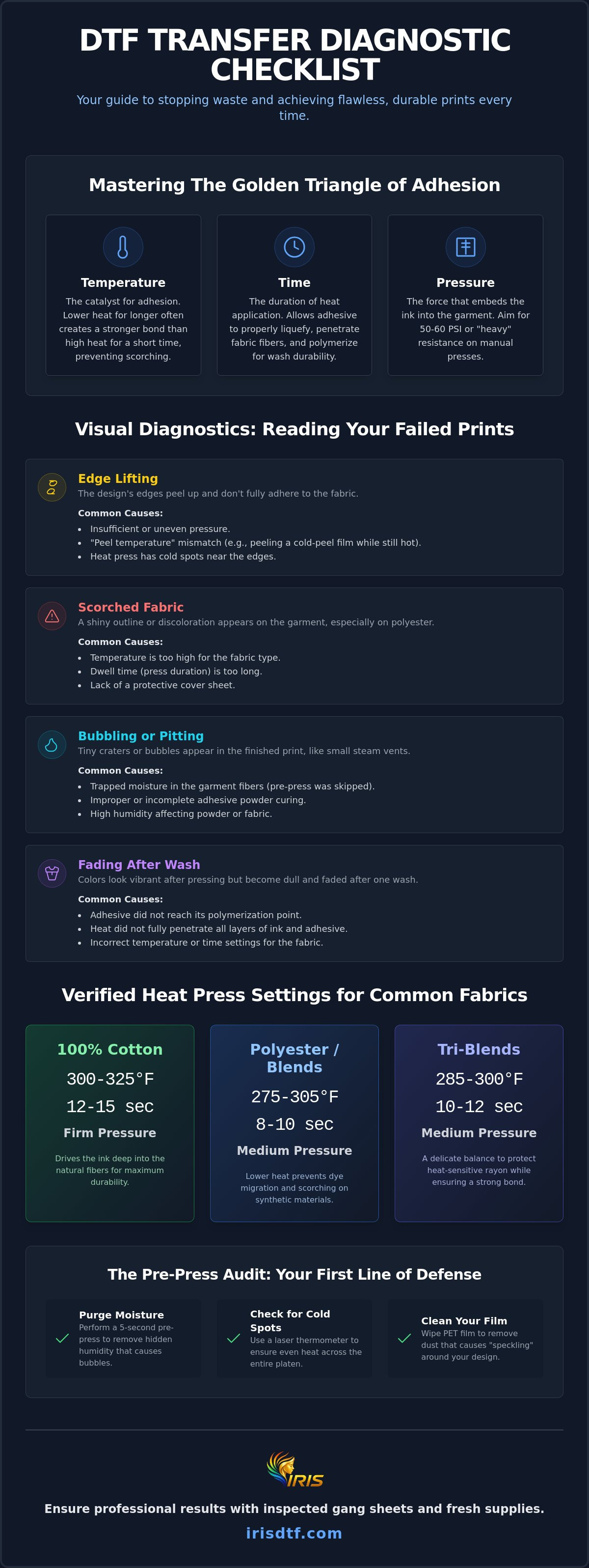
Stop guessing why your prints aren't sticking. Every failure on your heat press leaves a specific trail. Your scrap bin isn't just a loss; it's a diagnostic map. Mastering dtf transfer troubleshooting starts with recognizing the symptoms of a bad press before you ruin an entire production run. If the edges are lifting, you're likely dealing with insufficient pressure or a "peel temperature" mismatch. Forcing a cold-peel film to act like a hot-peel film will tear the design every time. Conversely, scorched fabric is a loud signal that your temperature is too high or your dwell time is too long for delicate synthetics.
Internal failures are often more subtle. Bubbling or pitting in the finished print usually points back to trapped moisture within the garment fibers or improper powder curing. If your colors look vibrant today but fade after the first wash, the adhesive didn't reach its polymerization point. The bond failed because the heat didn't penetrate the layers. Success requires a methodical look at how the Direct-to-film (DTF) printing process interacts with your specific equipment and environment.
Visual Diagnostics: Reading Your Failed Prints
Analyze the texture of your failure. A "cold peel" failure often looks like clean separation where the ink simply didn't grab the fabric. A "hot peel" failure on a cold-peel film usually results in jagged, torn edges. You might notice "moisture migration," which looks like tiny steam vents or craters in the ink; this is different from ink bleeding, which is usually a chemical imbalance. Remember that custom dtf transfers often look slightly dull or matte immediately after the first press. Don't panic. That signature "retail pop" and vibrant finish only arrive after the final finishing press locks the ink into the fibers.
The Pre-Press Audit: Stopping Problems Before They Start
Efficiency is built on preparation. Never skip the 5-second moisture purge. This simple pre-press removes hidden humidity that causes gas bubbles during the main transfer. Use a laser thermometer to check your heat press for "cold spots." Heating elements can degrade over time, leading to uneven adhesion across a single gang sheet. Also, keep your dtf transfer paper clean. Static electricity can attract dust or stray adhesive grains that create "speckling" around your design. A quick wipe with a lint-free cloth ensures your PET film is pristine before it hits the heat. This proactive dtf transfer troubleshooting saves your margins and your reputation.
Mastering DTF Time and Temp: The Golden Triangle of Adhesion
Adhesion is a science. It relies on the "Golden Triangle": the precise intersection of temperature, time, and pressure. If you've ever had a print fail, one of these three was out of sync. High heat isn't a shortcut for quality. In fact, running your press at 280°F for 20 seconds often provides a deeper, more resilient bond than 320°F for 10 seconds. The lower temperature gives the adhesive powder enough time to liquefy and wrap around the fabric fibers without scorching the garment. This is a critical step in dtf transfer troubleshooting.
Pressure is the final pillar. On a pneumatic press, aim for 50 to 60 PSI. On manual machines, "Heavy Pressure" means you should feel significant resistance when locking the platen. If you can close it with one finger, it's too light. Also, verify your powder cure before the film ever touches the shirt. A perfect cure looks like a consistent orange peel texture. If it's still grainy or looks like wet glass, your bond is already compromised. For consistent results, always source your custom DTF transfers from a provider that guarantees a perfect cure on every sheet.
Standard Settings for Common Fabrics
Generic settings lead to generic failures. Your fabric dictates the rules. Use these verified 2026 benchmarks for consistent results:
- 100% Cotton: 300°F to 325°F for 12 to 15 seconds. Use firm pressure to drive the ink into the heavy fibers.
- Polyester and Performance Wear: 275°F to 305°F for 8 to 10 seconds. Lower heat prevents "ghosting" and dye migration from the synthetic threads.
- Tri-Blends: 285°F to 300°F for 10 to 12 seconds. This delicate middle ground protects heat-sensitive rayon while securing the bond.
The Finishing Press: Why It Is Non-Negotiable
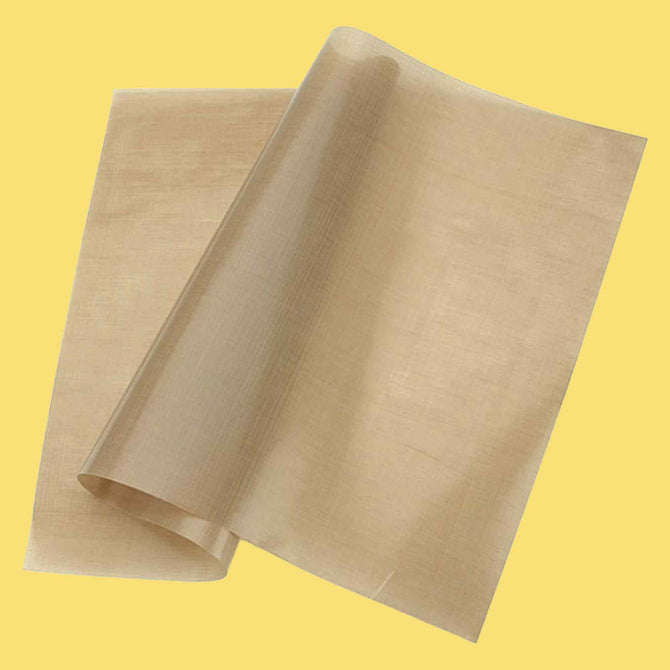
The first press attaches the design; the second press locks it in. This "finishing press" is the secret to retail-grade dtf shirt printing. It flattens the ink and ensures the adhesive is fully polymerized. For a glossy finish, use a Teflon sheet. For a soft, matte "retail" feel, choose parchment paper. This step is why professional transfers win when comparing dtf transfer vs iron on durability. A properly finished DTF print can withstand 50 plus washes without cracking. Don't skip the final seal.
Technical Failures: Ink, Film, and Powder Complications
Successful dtf transfer troubleshooting requires looking past the heat press. Often, the failure happens before the film ever touches the garment. If you see "bald spots" or areas where the design won't stick, your adhesive powder coverage is likely uneven. This happens when the shaker isn't calibrated or manual application is rushed. Without a uniform layer of TPU powder, the ink has nothing to grab. The result is a patchy, unprofessional finish that fails after the first wash. Precision in the curing stage is just as vital as the press itself.
White ink saturation is another common culprit. It's tempting to "flood" the design with white ink for better opacity, but too much ink creates a barrier. If the white layer is too thick, the adhesive powder can't penetrate through to reach the color layer. This leads to the design peeling off the adhesive, leaving the glue stuck to the shirt while the print falls away. Similarly, low-grade PET film can cause ink pooling. High-quality film is treated to hold the ink in place. Cheap alternatives lack this coating, leading to blurred edges and poor release properties during the peel.
Your curing equipment also introduces variables. Conveyor dryers offer speed, but drawer ovens provide more controlled, static heat. If your conveyor speed is too fast, the powder won't reach the necessary temperature. If your drawer oven has "hot spots," you'll see inconsistent curing across the gang sheet. Balancing these technical elements is what separates a hobbyist from a high-output production shop.
The Science of the Powder Bond
Visual cues tell the story of your cure. Under-cured powder feels gritty to the touch and looks like sugar. Over-cured powder turns yellow or brown and becomes brittle. Polymerization is the chemical reaction where individual adhesive molecules link together under heat to form a durable, solid plastic chain that fuses the ink to the fabric. If you notice "oil spots" on the back of your film, don't panic. This is often just plasticizer migration, a common side effect of the ink's glycol content reacting to heat. Simply wipe it away before pressing to ensure it doesn't stain the garment.
Ink Chemistry and Performance
Ink viscosity is the backbone of fine-line detail. If your ink is too thick, small text will clog; if it's too thin, it will bleed. High humidity can cause ink "sweating" on the film, where moisture beads on the surface and disrupts the powder bond. Managing your white ink circulation is non-negotiable. Because white ink contains heavy titanium dioxide, it settles quickly. Without constant agitation, your prints will become thin and translucent. Consistent maintenance ensures your dtf transfer troubleshooting sessions focus on growth, not fixing basic mistakes.
The Environmental Factor: DFW Humidity and Your DTF Workflow
Your shop's atmosphere is an active participant in your printing success. In the Dallas-Fort Worth area, humidity swings can sabotage even the most precise heat press settings. If your powder feels clumpy or your film seems to have a greasy residue, you're fighting the environment, not just your equipment. Effective dtf transfer troubleshooting often begins with a simple hygrometer. Moisture in the air is the enemy of dry adhesive powder. When the powder absorbs water, it loses its ability to flow evenly across the ink, leading to "speckling" or weak spots in the final bond.
Temperature fluctuations in Richardson can be just as disruptive. Your morning press settings might fail by 3:00 PM. As the ambient air temperature rises, your heat press doesn't have to work as hard to maintain its set point, but the cooling rate of your film changes. This shift affects your "peel window." A cold-peel film that worked perfectly at 8:00 AM might require an extra minute of cooling time during a 100°F Texas afternoon. Consistency requires a controlled climate.
Garment acclimatization is the final environmental hurdle. Shirts pulled from a non-climate-controlled warehouse are often "cold" and damp. They act like sponges for local humidity. If you press a damp shirt, the moisture turns to steam instantly. That steam has nowhere to go but up, pushing through the ink and creating tiny craters or bubbles. A standard 5-second pre-press might not be enough. If the garment feels heavy or cool to the touch, extend your pre-press to 10 or 15 seconds until you see the steam stop rising from the platen.
Managing Your Shop Climate
Aim for the sweet spot: 40% to 60% humidity and a stable 70°F to 80°F. This range ensures your DTF ink maintains the correct viscosity and your powder stays bone-dry. If your shop is in a garage or an older industrial space, industrial-grade dehumidifiers are essential. They stabilize your production and prevent the "sweating" effect on your PET film. If you suspect a garment is holding too much Dallas humidity, hover the heat press an inch above the fabric for 20 seconds before the actual pre-press to drive out deep-seated moisture.
Supplies Maintenance in the Metroplex
Storage is your first line of defense. Use airtight bins for bulk DTF powder and film rolls. Never store your climate-tested DTF supplies in a non-climate-controlled garage. Extreme Texas heat can cause ink components to separate or "spoil," leading to permanent clogs in your printhead. If your white ink looks chunky or has a yellow tint in the bottle, it has likely been compromised by heat. Protect your investment by keeping all consumables in a cool, dark, and dry environment. Ready to upgrade your production? Order fresh, professionally stored DTF supplies from our Richardson facility to ensure your workflow stays bulletproof.
Professional Results with Iris DTF: Richardson’s Transfer Experts
Mastering dtf transfer troubleshooting is significantly easier when you start with a perfect product. Most technical failures originate from poor-quality supplies or improper curing long before the film reaches your shop. By sourcing locally from our Richardson, TX facility, you eliminate the risks associated with aged film and separated ink. Your supplies haven't spent weeks in a sweltering shipping container or a non-climate-controlled warehouse. Freshness translates directly to better adhesion, vibrant colors, and the long-term durability your customers demand.
We provide more than just transfers; we provide a partnership in production. Our team understands the "Golden Triangle" of pressure, time, and temperature because we live it every day. If you're struggling to dial in your specific heat press, we're here to help you calibrate. Every gang sheet we produce undergoes a rigorous inspection to ensure curing perfection. We check for that essential orange-peel texture and uniform adhesive coverage so you don't have to. This commitment to quality ensures your production line stays moving without the interruption of failed prints or wasted blanks.
Speed is the heartbeat of the DFW apparel industry. Whether you're based in Plano, Dallas, or Frisco, our local presence means you get your corrected transfers exactly when you need them. No more waiting on nationwide shipping delays while your customer orders sit in limbo. We offer the fast turnaround necessary to keep your business agile and responsive to market trends. From small custom projects to massive commercial runs, we are the engine behind your creative success.
The Iris DTF Advantage
Our proprietary curing process is engineered to eliminate the "moisture bubble" risk common in high-humidity environments. We've refined our workflow to handle the specific challenges of the North Texas climate, ensuring every transfer is bone-dry and ready for immediate application. We also provide access to premium blank apparel that has been pre-tested for DTF compatibility. This "ready-to-work" approach helps Richardson clothing brands scale from 10 to 10,000 shirts with total confidence. We handle the technical heavy lifting so you can focus on design and sales.
Ready to Press? Shop Local
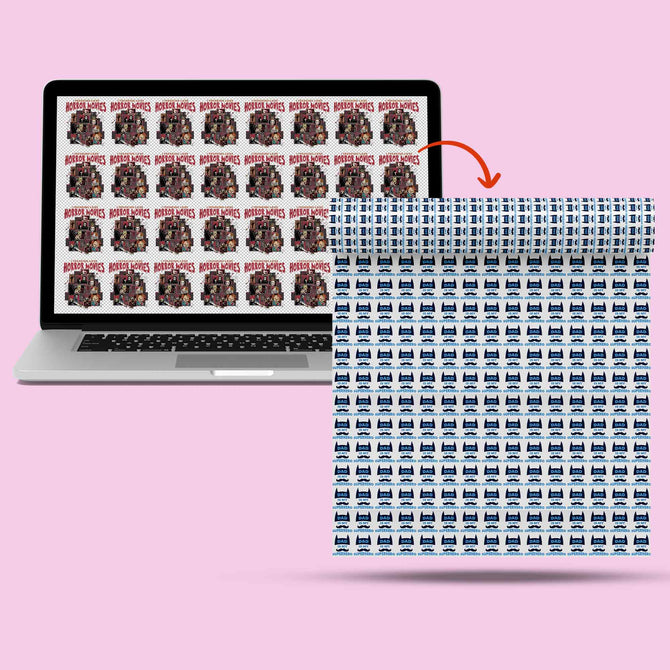
Don't let technical glitches slow your momentum. Order your next dtf gang sheets from Iris DTF for guaranteed results and professional-grade durability. You can visit our Richardson facility for expert advice, premium DTF supplies, and hands-on support for your most complex projects. We are dedicated to your growth and the perfection of every garment you produce. Troubleshoot your next project with Iris DTF transfers today!
Master Your Press Station and Scale Your Brand
Every ruined garment is a direct hit to your bottom line. You now have the diagnostic tools to turn those production failures into consistent wins. By mastering the Golden Triangle of time, temperature, and pressure, you ensure every transfer reaches maximum wash durability. You also understand how the North Texas climate affects your workflow and why local sourcing is the ultimate safeguard against technical complications. Professional dtf transfer troubleshooting is about eliminating variables before the heat press ever closes. Whether you're navigating seasonal humidity shifts or dialing in a new fabric blend, the right technical setup makes all the difference.
Stop letting technical glitches drain your profit margins. Partner with a team that has 10 plus years of expertise and a proprietary curing process designed for zero-fail results. We provide Richardson-based support and fast DFW-wide turnaround to keep your production line moving at full speed. Your creative success is our priority. It's time to press with total confidence and deliver the quality your customers expect.
Order Your Pro-Grade DTF Transfers from Iris DTF
Frequently Asked Questions
What is the best temperature for DTF transfers?
Standard cotton transfers perform best at 300°F to 325°F. For heat-sensitive synthetics like polyester, drop the temperature to a range of 275°F to 305°F to prevent dye migration. Always verify your press with a laser thermometer to ensure the display matches the actual platen heat for consistent results.
Why is my DTF transfer peeling off after the first wash?
Peeling usually indicates the adhesive never reached its full polymerization temperature during the press. If the glue doesn't liquefy and lock into the fabric fibers, it will release during the agitation of a wash cycle. This is a common hurdle in dtf transfer troubleshooting that is easily solved by increasing your dwell time or ensuring a firm second press.
How long should I press a DTF transfer?
Aim for a 10 to 15 second initial press to bond the film to the garment. After peeling the film, you must follow up with a 5 to 10 second finishing press. This second hit flattens the ink and creates the durable, retail-grade bond required for high-volume apparel production.
Can I use a household iron for DTF transfers?
Household irons are not recommended for professional results. They cannot provide the consistent 50 to 60 PSI of pressure or the edge-to-edge heat stability required for a permanent bond. Using an iron often leads to uneven adhesion and premature peeling; it's impossible to guarantee 50 plus wash durability without a professional heat press.
Why are there oily spots on my DTF film after curing?
Oily spots are typically caused by plasticizer migration, a reaction where glycol in the ink rises to the surface during the heating process. This is a standard part of the chemistry and doesn't mean your film is defective. Simply wipe the residue away with a clean, lint-free cloth before pressing to prevent any staining on the garment.
What pressure setting should I use for DTF printing?
Use medium to firm pressure for almost every application. On a pneumatic press, this translates to 50 to 60 PSI. For manual machines, you should feel significant resistance when locking the handle. Firm pressure is the only way to drive the liquefied adhesive deep into the fabric grain for maximum longevity.
How do I stop my fabric from scorching during the heat press?
Lower your temperature and extend your press time to protect sensitive fibers. If a shirt scorches at 320°F, try 285°F for 20 seconds instead. Using a Teflon sheet or parchment paper also provides a vital heat buffer that prevents direct contact with the metal platen while maintaining enough heat for the transfer.
Does humidity affect DTF transfer quality?
Humidity is a major factor in dtf transfer troubleshooting. High moisture levels cause the TPU powder to clump, leading to "bald spots" and uneven textures in the finished print. Maintain a shop environment between 40% and 60% humidity to keep your supplies dry and ensure your white ink doesn't "sweat" on the film.