How to Make a DTF Gang Sheet: The Ultimate 2026 Step-by-Step Guide

What Is This Article About?
Stop throwing money away on empty film space. Every square inch of your transfer sheet represents potential profit, but many creators leave money on the table because they haven't mastered how to make a dtf gang sheet with precision. It's frustrating to deal with blurry results or transparency errors that ruin a perfectly good garment. You need a workflow that works as hard as you do.
We agree that efficiency is the engine of a successful apparel brand. Mastering high-impact layouts is the fastest way to scale your production and protect your margins. This guide will help you create high-efficiency DTF gang sheets to slash your printing costs and maximize your brand’s output. We are going to walk through the exact 2026 steps to build print-ready files that ensure professional-grade transfers and faster turnaround for every bulk order you handle.
Key Takeaways
- Slash your printing costs. Group multiple designs onto one roll to pay for film length instead of individual images.
- Pick the right tool. Use Canva Pro for quick layouts or Adobe Illustrator for professional-grade vector scaling and precision.
- Master the technicals. We'll show you how to make a dtf gang sheet using 300 DPI assets and perfect background transparency.
- Stop wasting film. Avoid common errors like pixelated images and tight safety zones that stall your production and ruin garments.
- Accelerate your output. Use professional upload portals for faster turnaround times and reliable results for high-volume orders.
What is a DTF Gang Sheet and Why is it a Game Changer?
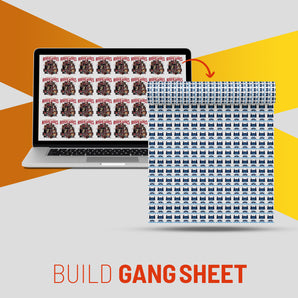
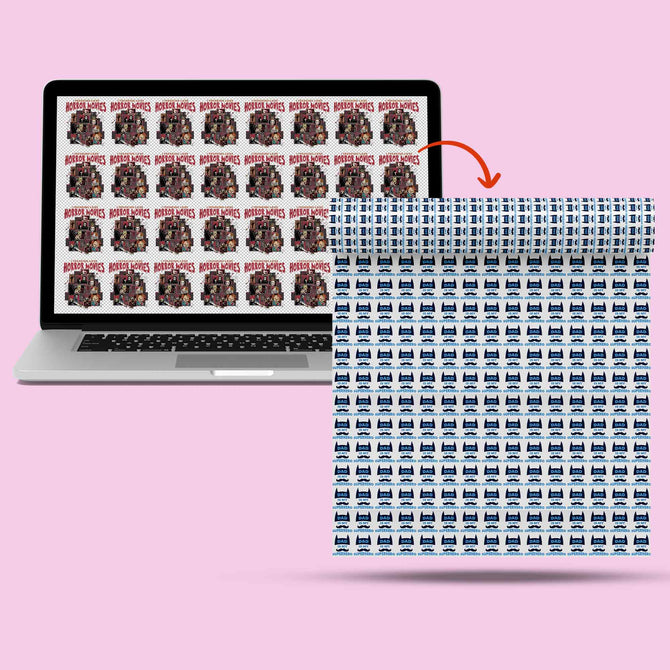
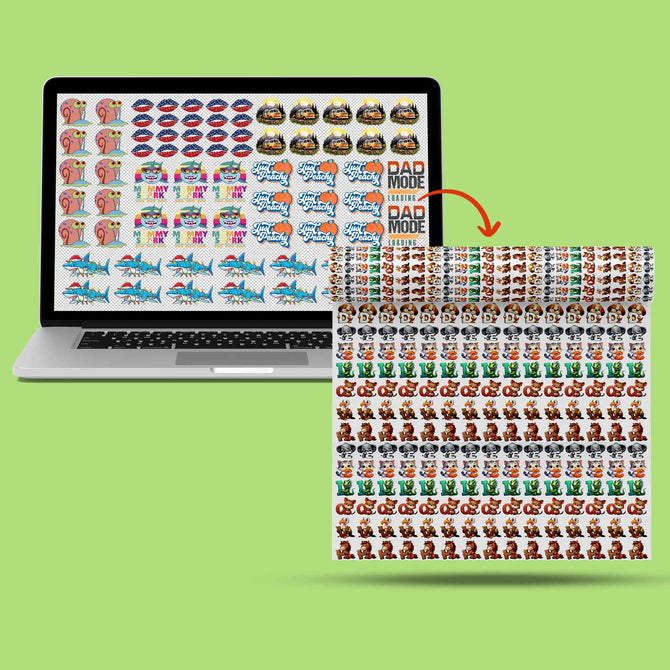
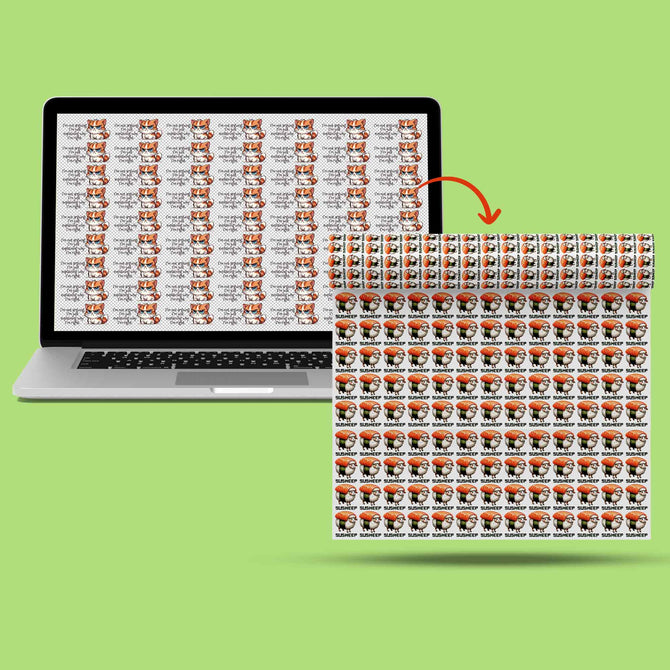
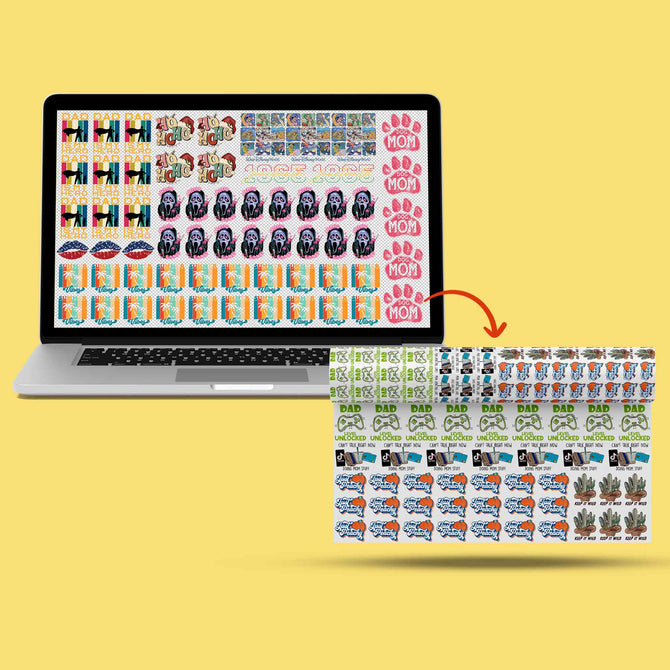
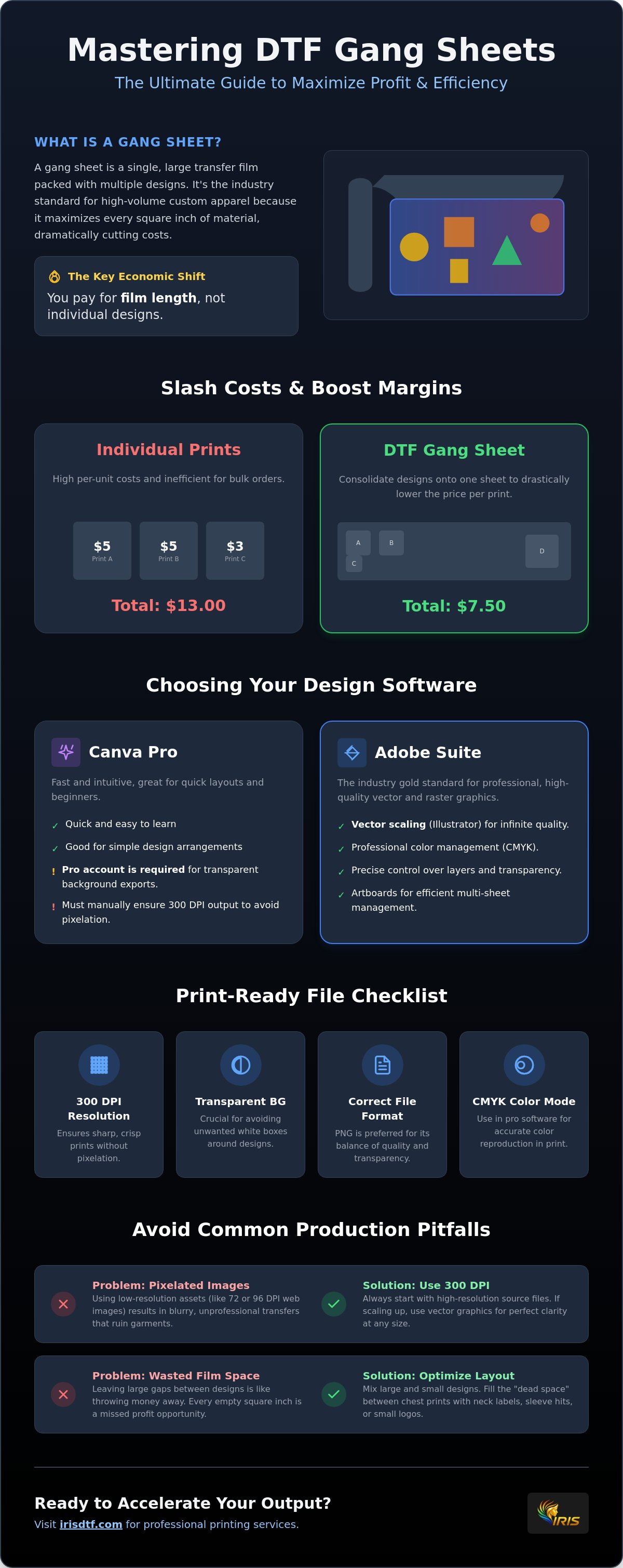
A gang sheet is a single roll of film packed with multiple designs of various sizes. It is the industry standard for high-volume custom apparel because it maximizes every square inch of material. By learning how to make a dtf gang sheet, you transition from paying per individual print to paying for the linear foot. This shift gives you complete control over your production costs. The Direct-to-Film (DTF) printing process relies on this efficiency to deliver vibrant, durable transfers at scale. It is the ultimate tool for branding kits, neck labels, and multiple small logos on a single run. Instead of waiting for separate prints, you get one cohesive roll ready for action.
The Economics of Gang Sheeting
Bulk printing changes the math for your business. When you order transfers individually, costs climb quickly. Gang sheeting lowers the unit price per transfer by consolidating your needs into one streamlined file. Professional printers like Transfers by MoreTranz prefer this method because it allows for faster throughput and fewer setup interruptions. You aren't just buying art; you're buying space. Calculating your savings is simple. You pay for the linear inch rather than the complexity or count of the designs. More logos per sheet means higher margins for your brand. This approach eliminates the "per-image" trap that often stalls growth for smaller shops. It's a high-capacity solution for serious creators.
Versatility in Design Placement
Flexibility is where you win. You can mix different logos, sizes, and colors on a single sheet without penalty. Smart designers utilize the "dead space" between larger chest prints for small items like sleeve hits or hat patches. This ensures no film goes to waste. If you are working with a standard 22 inch roll, you can tile your designs to fill the width perfectly. Learning how to make a dtf gang sheet allows you to optimize these layouts for maximum output. It also slashes your heat press setup time. Having all your transfers organized on one sheet means you spend less time sorting and more time pressing. It's about speed, precision, and profit. You get professional-grade results with a workflow that's built for momentum.
Choosing the Right Software for Your DTF Layout
Your choice of software dictates the final quality of your transfers. If you want to know how to make a dtf gang sheet that looks professional, you need a tool that handles high-resolution exports and transparency with ease. The latest innovations in digital printing have made high-end design more accessible, but technical standards remain strict. You can't just use any basic photo editor and expect retail-ready results. You need precision.
Canva is the most popular entry point for many creators. It's fast and intuitive. However, a Pro account is non-negotiable. Without it, you cannot export files with transparent backgrounds, which is a requirement for DTF. Adobe Illustrator remains the industry gold standard. It uses vector-based logic, allowing for infinite scaling without any loss in detail. For high-detail raster images or complex gradients, Adobe Photoshop is the superior choice. It provides the granular control needed to manage color blending and edge sharpness.
File types matter just as much as the software itself. PNG is the standard because it supports transparency natively. PDF is excellent for keeping vector assets sharp. TIFF offers the highest quality but creates massive files that can be difficult to manage. Most high-capacity printers prefer a 300 DPI PNG for the best balance of speed and clarity. If you are starting out, you might want to grab some DTF supplies to test your exported files on different fabrics before committing to a massive run.
Canva Workflow for Beginners
Start by setting up a custom canvas size in inches. Match this exactly to your film width, usually 22 inches. When you finish your layout, use the "Transparent Background" setting during export. Be careful with resolution. Canva defaults to 96 DPI for many web-based designs. To ensure a 300 DPI print, you must design at a larger scale or use specific export settings to maintain density. Don't let a simple export setting ruin your film.
Adobe Professional Workflow
Efficiency is built into the Adobe suite. Use Artboards in Illustrator to manage multiple sheet lengths within a single project file. This keeps your workflow organized and fast. Always set your workspace to CMYK. This ensures the colors you see on your monitor actually match the ink hitting the film. In Photoshop, pay close attention to your layers. Keeping your background layer hidden ensures clean, crisp edges that won't show stray white pixels when pressed. Professional tools prevent amateur mistakes.
Step-by-Step: How to Build Your Gang Sheet Layout
Building your layout is where strategy meets technical precision. It is a puzzle that rewards efficiency. If you want to know how to make a dtf gang sheet that maximizes your profit, you must follow a methodical workflow. This process ensures your designs are organized, high-quality, and ready for the heat press without any expensive surprises. Every inch of film is an opportunity to scale your brand.
Step 1: Determine your sheet width. Standard rolls are typically 22 inches wide. Set your digital canvas to this specific width to ensure your designs fit the physical film. Step 2: Import your assets. Use only high-resolution (300 DPI) files with transparent backgrounds. Low-quality art will result in "fuzzy" or pixelated transfers that look amateur. Step 3: Arrange for efficiency. Place your largest designs first. Then, nestle smaller logos or neck labels into the remaining gaps. Step 4: Audit your sheet. Zoom in to 300% to check for overlapping elements or stray "ghost" pixels. These tiny errors can ruin an entire garment. Step 5: Export. Save your completed layout as a high-quality PNG or PDF to preserve transparency and edge sharpness.
The Golden Rules of Layout
Precision matters when it's time to cut. Maintain a minimum 0.25-inch gap between every design on your sheet. This provides enough safety room for commercial cutters or manual trimming without risking the art. Avoid rotating designs at odd, diagonal angles. While it might save a sliver of space, it makes the trimming process incredibly difficult and increases the chance of error. Group similar designs together. Keeping all your chest logos in one block and neck labels in another streamlines your heat press workflow once the transfers arrive. It's about working smarter, not harder.
Technical Specifications for 2026
Technical standards are non-negotiable for professional output. A resolution of 300 DPI is the baseline for custom dtf transfers. Anything lower will compromise the vibrance and durability of the print. You also need to manage your color profiles. Most design software displays in RGB, but the printer operates in CMYK. Transitioning your file early helps you avoid color shifts during production. Finally, double-check your transparency. Ensure no "white box" backgrounds remain hidden behind your art. When you master how to make a dtf gang sheet with these specs in mind, you guarantee a press-ready file that delivers retail-quality results every single time.
Avoiding Common Gang Sheet Pitfalls
Precision is the difference between a professional run and a wasted roll of film. Even when you know how to make a dtf gang sheet, small technical oversights can derail your production. One pixel out of place or a line that's too thin can lead to rejected garments. You need to audit your files with the same intensity you use to design them. Efficiency doesn't just mean speed. It means getting it right the first time. Reliability is built during the file preparation stage.
Low-resolution images remain the top cause of "fuzzy" transfers. If your source art isn't sharp, no amount of layout magic will save it. Zoom into your sheet at 400%. If you see jagged edges or "artifacts," those will appear on the final shirt. Overlapping safety zones are another silent killer. If your designs are too close, you risk cutting into the art during the trimming phase. Stray pixels are equally dangerous. These tiny, often invisible dots tell the printer to lay down white ink. This results in unwanted white speckles across your garment that look like dust or lint. Clean your artboards thoroughly before exporting.
The "Thin Line" Test
Adhesion is a game of surface area. If a design element is under 2pts thick, the adhesive powder may not have enough room to grab hold. This leads to transfers that peel or crack after the first wash. Use a "stroke" or "offset path" in your software to bolster delicate fonts or thin flourishes. This adds the necessary weight without compromising the design's integrity. DTF adhesive requires a minimum surface area to bond effectively. If you want transfers that last, you must ensure every detail is robust enough for the press. You can stock up on DTF supplies to run your own adhesion tests on tricky fabrics.
Transparency and Background Audits
Hidden backgrounds are a nightmare for DTF printing. Use the "Magic Wand" or "Select Color Range" tools in Photoshop to hunt for stubborn white boxes or "glow" effects. Semi-transparent glows are particularly risky. The printer will attempt to back them with solid white ink, creating a muddy, opaque mess instead of a soft fade. A pro tip is to create a temporary layer behind your art filled with a bright neon green or pink. This makes stray pixels and faint backgrounds pop instantly. When you master how to make a dtf gang sheet with a clean audit, your turnaround times stay fast and your quality stays high. Clear, decisive files lead to perfect presses.
Ordering Your Gang Sheets from Iris DTF in Richardson
You have mastered how to make a dtf gang sheet with precision. Now, it is time to bring those designs to life. Upload your completed file directly to our professional dtf gang sheets portal. Our system is built for speed. It's designed for creators who don't have time to waste. We handle the technical heavy lifting so you can focus on growing your brand. Efficiency is our priority. Reliability is our promise.
We use premium inks and films to ensure maximum wash durability. Modern DTF prints from our facility are engineered to withstand 50+ washes without significant fading or cracking. This level of quality protects your brand's reputation. We also offer same-day processing for orders placed before 2 p.m. Central Time with 300-dpi artwork. Speed meets precision here. There are no minimum order requirements. We are ready to handle everything from small custom runs to massive commercial demands.
Local Pickup vs. Nationwide Shipping
Our Richardson location is a strategic hub for the entire DFW area. If you are a brand owner in Plano, Dallas, or Frisco, you have a distinct local advantage. Choose Richardson-based local pickup for same-day or next-day options. It cuts out the wait time entirely. Local proximity also reduces the risk of transit damage to your film rolls. For our partners outside North Texas, we provide streamlined shipping across the US. We even offer free shipping on orders over $100 within the U.S. It is high-volume wholesale efficiency delivered straight to your door.
Why Iris DTF is the DFW Leader
Experience matters in the custom apparel industry. We bring over 10 years of expertise in digital transfer technology to every project we touch. We don't just print; we audit. Our team performs a professional file review to catch common gang sheet errors before they hit the film. This extra layer of protection saves you time and money. You can also source blank apparel directly from us to complete your production in one stop. From film to fabric, we are your essential engine for success.
Mastering how to make a dtf gang sheet is the first step toward scaling your business. Partnering with a high-capacity powerhouse that understands your urgency is the second. Supporting that growth with reliable infrastructure from utdtech.com ensures your professional technology systems can handle the increased demand. Our "can-do" spirit ensures your creative vision is never limited by technical hurdles. We are the behind-the-scenes partner you can trust. Let's get to work on your next big project today.
Scale Your Production with Professional Precision
You now have the technical blueprint to dominate your market. Understanding how to make a dtf gang sheet is more than just a design skill; it is a strategic advantage that slashes overhead and boosts your daily output. By mastering high-resolution 300 DPI layouts and eliminating transparency errors, you ensure every press is perfect. You have the tools to turn empty film space into pure profit.
At Iris DTF, we stand ready to be the engine for your success. Our Richardson-based expert support team is here to review your files and guarantee professional results. We provide 300 DPI high-definition printing with no minimum order requirements. This gives you the flexibility to scale at your own pace. Whether you are handling a single custom project or a massive commercial run, our streamlined process ensures your vision hits the fabric exactly as intended.
The future of your apparel brand starts with a smarter layout. Take the next step toward high-efficiency production and retail-ready quality. Build Your Custom DTF Gang Sheet and Save Today.
Your creative potential is limitless. We are ready to help you build something incredible.
Frequently Asked Questions
How wide should my DTF gang sheet be?
Your gang sheet should typically be 22 inches wide. This is the industry standard for commercial rolls and ensures your layout fits the physical film perfectly. Always check with your printer first, as some specialized setups may utilize 24-inch film. Setting your digital canvas to the correct width from the start prevents scaling errors that could ruin your resolution and waste expensive film.
Can I put different designs on the same gang sheet?
You absolutely can and should mix different designs on a single sheet. This versatility is the primary reason why learning how to make a dtf gang sheet is so valuable for growing brands. You can combine chest logos, neck labels, and sleeve hits in one run. This strategy maximizes every inch of film and significantly reduces your unit cost per garment, making it ideal for bulk orders.
Do I need to mirror my images before uploading the gang sheet?
No, you don't need to mirror your images before uploading. Professional RIP software handles the mirroring process automatically during the print stage. Upload your files exactly as you want them to look on the final garment. Mirroring them yourself can lead to double-mirrored prints that are unusable, so keep your designs in their original orientation for a clean and reliable result.
What file format is best for DTF gang sheets in 2026?
A high-resolution PNG with a transparent background is the gold standard for 2026. This format preserves the necessary transparency while maintaining the 300 DPI density required for retail-quality results. PDF is also a strong choice for vector-heavy layouts. Both formats ensure your edges stay crisp and your colors remain vibrant throughout the printing and pressing process without losing any fine detail.
How much space should I leave between designs on a gang sheet?
Maintain a minimum gap of 0.25 inches between every design. This safety zone provides enough room for manual trimming or commercial cutters without risking damage to the art. Tighter spacing might save a tiny amount of film, but it drastically increases the chance of a ruined transfer during the cutting phase. Precision in your layout prevents waste in your production and keeps your workflow moving fast.
What is the maximum length for a DTF gang sheet?
Maximum lengths vary by provider, but many high-capacity systems handle rolls up to 120 or 180 inches long. While you can build massive files, keeping your sheets to manageable lengths like 60 or 100 inches often makes the physical handling and cutting much easier. Check your specific printer's portal for their exact maximum roll capabilities before you start your layout to ensure a smooth upload process.
Will my colors look the same on the gang sheet as they do on my monitor?
Colors often look slightly different in print because monitors use RGB while printers use CMYK. To get the most accurate results, set your design software to CMYK mode during the creation process. This helps bridge the gap between your screen and the final ink. Using professional-grade equipment ensures high-fidelity color matching, but a slight shift is a natural part of the digital-to-physical transition in how to make a dtf gang sheet layouts.
Can I use Canva for professional DTF gang sheets?
Yes, you can use Canva, but a Pro account is essential for professional results. Only the Pro version allows you to export files with transparent backgrounds, which is a non-negotiable requirement for DTF. Ensure your canvas is set to the correct dimensions in inches and always double-check that your final export maintains the 300 DPI standard for maximum clarity and durability on the garment.