
DTF Time and Temp: Your Ultimate Guide for Perfect Transfers
What Is This Article About?
What if the only thing standing between you and flawless DTF transfers is two numbers? Getting your DTF time and temp settings right isn't a guessing game. It's the single most controllable factor in whether your prints come out vibrant and locked-in or peeling, faded, and frustrating.
You already know the struggle. One transfer bonds perfectly, the next one lifts at the edges. You swap fabrics and suddenly nothing looks right. It feels inconsistent because it is, and the culprit is almost always your heat press settings.
Here's the good news: optimal DTF settings aren't complicated once you understand the logic behind them. In this guide, you'll get a clear breakdown of the exact time and temperature ranges that work across different materials, practical troubleshooting tips for common adhesion problems, and the confidence to dial in your press every single time. Whether you're just getting started or looking to sharpen your process, this is the resource you need to stop guessing and start pressing with precision.
Key Takeaways
- Getting your DTF time and temp dialed in is the single most controllable factor in transfer quality — and this guide gives you the exact ranges for common fabrics.
- Not all DTF transfers press the same way: hot peel and cold peel methods require different time settings, and knowing the difference saves you from costly mistakes.
- Most adhesion failures and print quality issues come down to a handful of fixable pressing errors — you'll learn how to spot and solve them fast.
- Small prep habits and consistent heat press maintenance make a measurable difference in your results, wash after wash.
- From custom DTF transfers to supplies and gang sheets, Iris DTF brings over 10 years of hands-on expertise to help you press with confidence every time.
Understanding DTF Transfers: The Basics
DTF stands for Direct-to-Film. It's a printing method where designs are printed onto a specialized PET film, coated with hot-melt adhesive powder, cured, and then transferred onto fabric or other surfaces using a heat press. The result? Vibrant, full-color prints that bond directly to the material without the need for weeding, pre-treatment, or screen setup.
Three core materials make it all work:
- PET film: The carrier that holds your printed design before transfer.
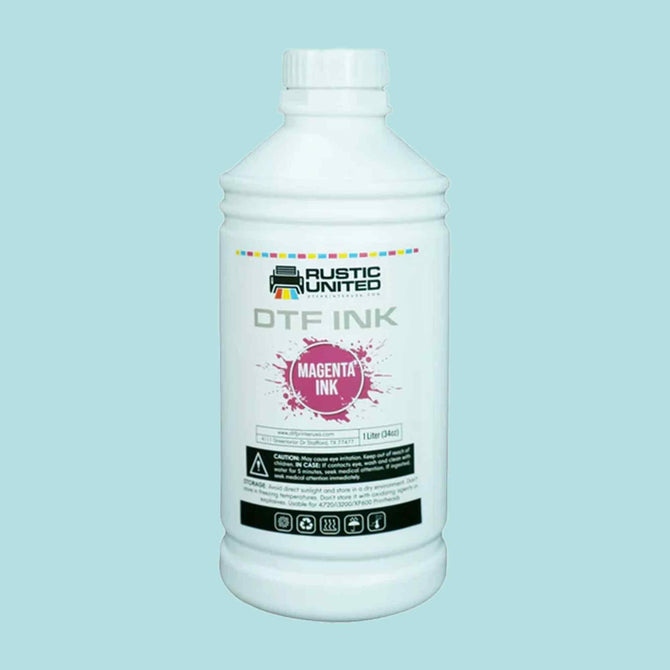
- DTF inks: Water-based pigment inks formulated specifically for film adhesion and color vibrancy.
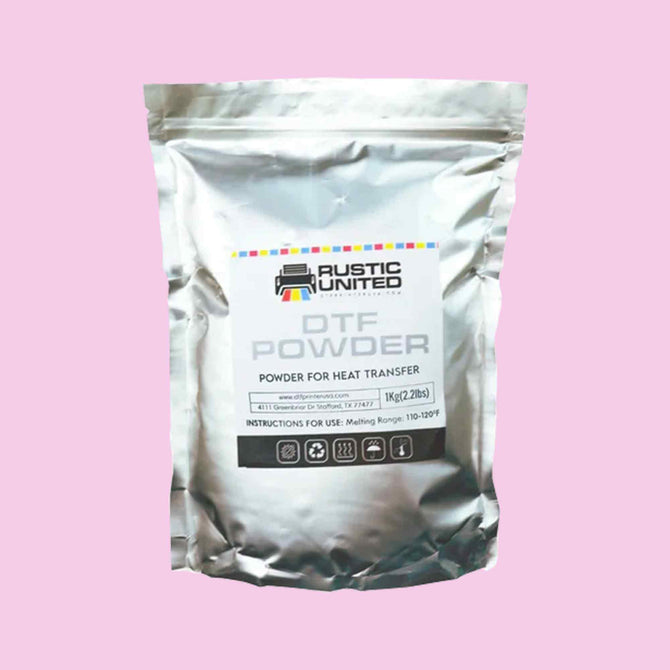
- Hot-melt adhesive powder: The bonding agent that fuses the design to the fabric when heat is applied.
Each material plays a critical role. Skip a step or use the wrong combination, and your results will suffer. That's why getting your dtf time and temp settings right matters so much; the adhesive powder only activates correctly within a specific heat window.
How DTF Works
The process moves in a clear sequence. A design is printed in reverse onto PET film using CMYK inks plus a white underbase layer. Adhesive powder is applied while the ink is still wet, then cured in an oven or with a heat source to set the powder. From there, the transfer is ready to press onto your chosen substrate. Heat activates the adhesive, and the design bonds to the fabric. Peel the film, and the print stays behind, clean and locked in.
Why Choose DTF?
DTF punches above its weight compared to traditional methods like screen printing or heat transfer vinyl. No minimum order quantities. No color limitations. No need to pre-treat garments. It handles photographic detail, gradients, and fine text without breaking a sweat.
Durability is another major advantage. DTF prints are built to hold up through repeated washing when pressed correctly, maintaining color integrity and edge adhesion over time. That makes them a reliable choice for custom apparel, promotional products, team uniforms, and branded merchandise.
Versatility is the real selling point. DTF transfers work on cotton, polyester, blends, denim, nylon, and more. Light fabrics. Dark fabrics. Flat surfaces and slightly textured ones. The range of applications is broad, which is exactly why so many decorators, small businesses, and print shops have made DTF a cornerstone of their production workflow.
Optimal Time and Temperature Settings for DTF Transfers
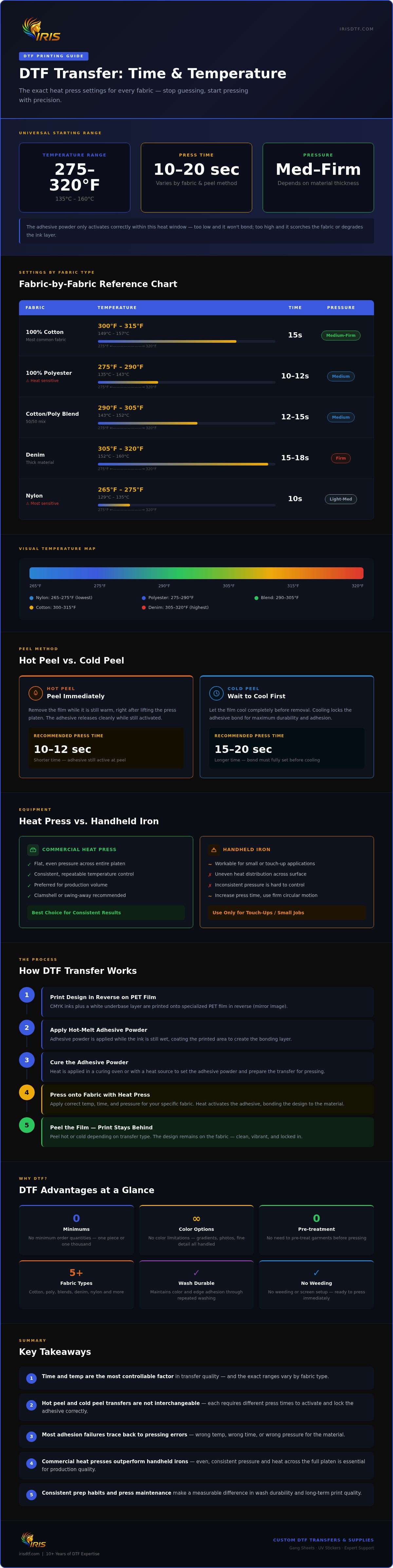
Let's get straight to the numbers. Most DTF transfers press successfully within a temperature range of 275°F to 320°F (135°C to 160°C), with a press time between 10 and 20 seconds. That range isn't arbitrary. It's the window where the hot-melt adhesive activates fully without scorching the fabric or degrading the ink layer.
The right dtf time and temp combination depends on three variables: fabric type, transfer peel method, and material thickness. Nail all three, and your results become repeatable every single time.
Here's a quick reference for the most common materials:
- 100% Cotton: 300°F to 315°F (149°C to 157°C) | 15 seconds | Medium-firm pressure
- 100% Polyester: 275°F to 290°F (135°C to 143°C) | 10 to 12 seconds | Medium pressure
- Cotton/Poly Blends (50/50): 290°F to 305°F (143°C to 152°C) | 12 to 15 seconds | Medium pressure
- Denim: 305°F to 320°F (152°C to 160°C) | 15 to 18 seconds | Firm pressure
- Nylon: 265°F to 275°F (129°C to 135°C) | 10 seconds | Light-medium pressure
Peel method matters just as much as temperature. Hot peel transfers are peeled immediately after pressing, while the film is still warm. These typically need a slightly shorter press time, around 10 to 12 seconds, because the adhesive releases cleanly while activated. Cold peel transfers require you to let the film cool completely before removal. They generally benefit from a slightly longer press time, 15 to 20 seconds, to ensure the adhesive bonds fully before the cooling phase locks it in.
Heat Press vs. Handheld Press
A commercial heat press delivers flat, even pressure across the entire platen, which is why it's the preferred tool for consistent results. Handheld pressing irons can work for small or touch-up applications, but they introduce uneven heat distribution and inconsistent pressure. If you're using a handheld iron, increase your press time slightly and use a firm, steady circular motion to compensate. For production volume, a clamshell or swing-away heat press is the clear choice.
Adjusting for Different Materials
Specialty fabrics require extra caution. Performance wear and moisture-wicking polyesters are heat-sensitive; always stay at the lower end of the temperature range and test a sample first. Thick materials like hoodies or denim may need a second press of 5 to 8 seconds to push heat through the fabric layers. Avoid pressing directly on embellishments, zippers, or seams.
One common mistake? Skipping the pre-press. A quick 3-second pre-press removes moisture and wrinkles from the garment, giving the adhesive a clean, dry surface to bond to. It's a small step that makes a measurable difference in edge adhesion and overall print longevity.
Getting your settings dialed in starts with quality transfers you can trust. Explore Iris DTF's custom DTF transfers and press with confidence from the first sheet to the last.
Troubleshooting Common DTF Issues
Even with solid settings dialed in, problems happen. A transfer lifts at the edge. Colors look washed out. The print feels stiff or crinkled after washing. Most of these issues trace back to a small number of fixable variables, and once you know what to look for, the fix is usually straightforward.
Common Problems and Fixes
Start with the symptom, then work backward to the cause. Here's how to diagnose the most frequent pressing problems:
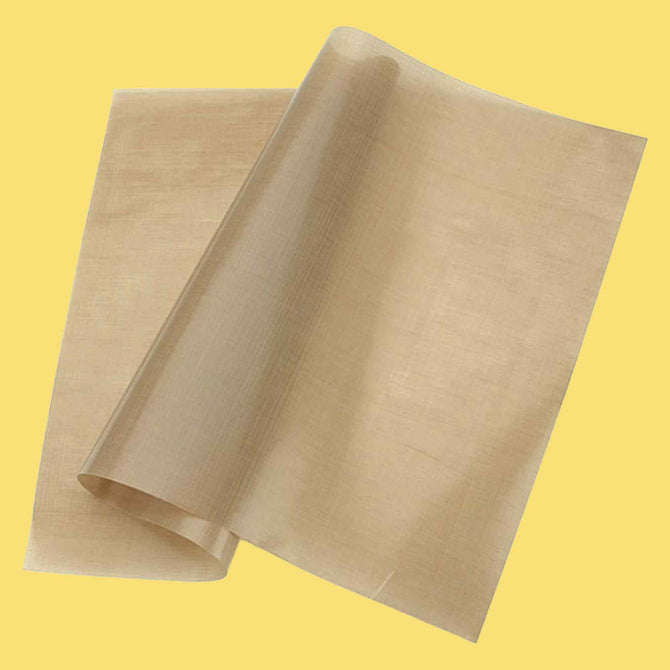
- Peeling or lifting edges: This almost always points to insufficient heat, too little pressure, or a moisture problem in the fabric. Make sure you're pre-pressing your garment before applying the transfer. If edges are still lifting after pressing, try adding 2 to 3 seconds to your press time or bumping your temperature up by 5°F to 10°F. A second press with a cover sheet can also reseal stubborn edges.
- Fading or discoloration: Too much heat is usually the culprit here. Pressing polyester or performance fabrics above their recommended dtf time and temp threshold can scorch the fabric or break down the ink layer. Drop your temperature and test on a sample before committing to a full run.
- Incomplete transfer or patchy adhesion: Uneven pressure is the most common cause. If your heat press platen isn't making full contact across the entire design, you'll get inconsistent bonding. Check your pressure calibration and make sure the garment is lying completely flat with no folds or seams under the transfer area.
- Stiff or cracked print after washing: This typically means the adhesive didn't fully activate during pressing. Increase your press time slightly and confirm your temperature is reaching the adhesive's activation threshold.
- Film tearing during peel: You're peeling too fast or too early on a cold peel transfer. Let it cool completely before removing the film. Rushing the peel is one of the most common and most avoidable mistakes in the entire process.
Pressure balance deserves its own attention. Too light, and the adhesive won't bond fully. Too heavy on delicate fabrics, and you'll flatten the material or distort the print. A medium-firm pressure works for most substrates. When in doubt, do a test press on a scrap piece of the same fabric before running your actual garment.
Seeking Help and Support
Sometimes a problem doesn't fit a neat category. If you've adjusted your dtf time and temp settings, checked your pressure, and pre-pressed your fabric but still can't get consistent results, it may be time to loop in an expert. Working with a knowledgeable DTF supplier means you're not troubleshooting blind.
Iris DTF brings over 10 years of hands-on experience to exactly these kinds of questions. Based in the Dallas-Fort Worth area, the team is positioned to offer real, practical guidance grounded in daily production knowledge. Whether you're sourcing custom DTF transfers, gang sheets, or DTF supplies, you're also getting access to that depth of expertise. Don't waste time guessing when the answer is a conversation away.
Maximizing Your DTF Printing Experience
Dialing in your dtf time and temp settings is only part of the equation. The other part? Everything that happens before and after you close the press. Preparation, maintenance, and smart sourcing decisions all compound over time, turning good results into great ones, consistently.
Preparing for Success
A clean, calibrated press is the foundation. Before every production run, confirm your platen temperature with an independent thermometer. Built-in gauges drift over time and can read several degrees off from actual surface temperature. That gap is enough to cause bonding failures or fabric damage without any obvious explanation.
Fabric prep follows the same logic. Beyond the pre-press step covered earlier, make sure garments are free of fabric softener residue, which creates a barrier between the adhesive and the fibers. Store blanks away from humidity when possible. Moisture is a silent enemy of adhesion, and it's easy to overlook when you're moving fast through a production run.
Artwork prep matters too. Keep your design files at 300 DPI or higher to ensure sharp edge definition once pressed. Soft or low-resolution edges show up clearly on finished transfers, especially on fine text and detailed linework. If you're working with gang sheets, leave adequate spacing between designs to prevent heat bleed from one transfer affecting another during pressing.
Storing DTF Transfers for Longevity
Transfers that aren't pressed immediately need proper storage. Keep them flat, away from direct sunlight, and in a cool, dry environment. Heat and UV exposure degrade the adhesive layer before you ever touch the press. Most transfers store well for several months under the right conditions. Stack them with the film side protected and avoid heavy weight on top of the pile, which can cause the adhesive to compress unevenly.
Leveraging DTF Supplies
The quality of your materials sets a ceiling on your results. No amount of technique compensates for low-grade film, inconsistent adhesive powder, or inks that weren't formulated for DTF production. Sourcing from a reliable supplier isn't a luxury; it's a baseline requirement for repeatable output.
Local sourcing has a practical edge. Faster turnaround, easier communication, and the ability to get answers from people who press transfers themselves. Iris DTF, based in the Dallas-Fort Worth area, stocks a full range of DTF supplies alongside custom transfers and gang sheets, backed by over 10 years of hands-on production experience. That depth of knowledge travels with every order.
Ready to upgrade your materials and your results? Shop DTF supplies at Iris DTF and build your workflow on a foundation you can trust.
Why Choose Iris DTF for Your DTF Needs
Knowing your dtf time and temp settings is one thing. Having a supplier who helps you apply that knowledge consistently, order after order, is another. That's the difference Iris DTF makes.
With over 10 years of hands-on production experience, Iris DTF isn't a storefront that simply ships product. It's a working operation built around the same processes you're running. That depth shows up in every interaction, from product quality to the practical guidance that comes with it.
Local Expertise That Actually Helps
Being based in the Dallas-Fort Worth area means Iris DTF is embedded in a real, active business community. Local decorators, custom apparel shops, and small business owners in the region have built their workflows around Iris DTF's products because the relationship goes beyond a transaction. You're working with a team that understands local production demands, turnaround pressures, and the kind of quality that keeps customers coming back.
That proximity translates into faster support and more relevant answers. When a pressing issue comes up, you're not waiting on a generic support ticket. You're connecting with people who press transfers themselves.
A Product Range Built for Every Stage
Whether you're running a high-volume print shop or pressing your first custom order, Iris DTF has the inventory to match your needs. The full product lineup includes:
- Custom DTF transfers: Printed to your artwork, ready to press, built for clean adhesion and lasting color.
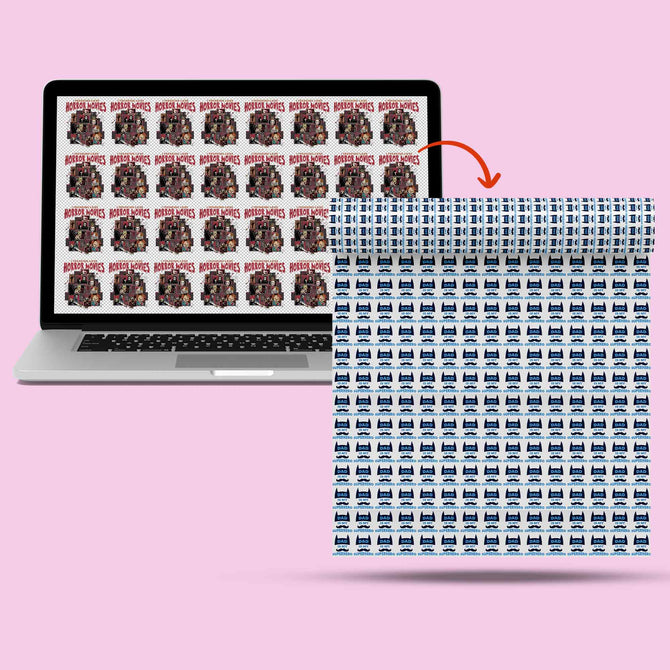
- DTF gang sheets: Maximum efficiency for production runs, with multiple designs packed onto a single sheet.
- UV DTF stickers: Durable, vibrant, and versatile for hard surfaces and promotional applications.
- Blank apparel: Quality substrates ready to pair with your transfers.
- DTF supplies: Everything DIY printers and production shops need to keep output consistent.
- Custom t-shirts: Finished garments for customers who want the complete product.
Quality in DTF printing isn't just about technique. The materials set the ceiling on what's possible. Low-grade film and inconsistent adhesive powder will undercut even the most precise pressing process. Iris DTF sources and supplies materials built to perform, so your results hold up through production runs and repeated washes alike.
From your first transfer to a full production workflow, Iris DTF is the partner that keeps your press running right. Visit Iris DTF to explore the full product range and get started today.
Press with Precision, Every Single Time
Getting your dtf time and temp settings right is the fastest way to transform inconsistent results into repeatable, professional-quality output. The core principles are straightforward: match your temperature and press time to your fabric, respect the peel method, prep your garments, and source materials you can trust.
Small adjustments compound quickly. A calibrated press, quality transfers, and a clean pre-press habit are the difference between prints that last and prints that peel. None of it requires guesswork when you have the right foundation in place.
Iris DTF brings over 10 years of hands-on DTF experience to every order, with local expertise rooted in the Dallas-Fort Worth area and a full product range built to support decorators at every level. From custom DTF transfers to gang sheets and supplies, you're getting quality backed by real production knowledge and a genuine commitment to your satisfaction.
Your next great press is closer than you think. Explore our custom DTF transfers and supplies today!
Frequently Asked Questions About DTF Time and Temp
What is the best temperature for DTF transfers?
The sweet spot for most DTF transfers falls between 275°F and 320°F (135°C to 160°C). The exact number depends on your fabric. Cotton handles higher heat well, around 300°F to 315°F, while heat-sensitive polyesters need a lower range closer to 275°F to 290°F. Always verify your platen's actual surface temperature with an independent thermometer, since built-in gauges can drift and give you a false reading.
How long should I press DTF transfers?
Most DTF transfers press successfully between 10 and 20 seconds. Your peel method and fabric thickness are the deciding factors. Hot peel transfers typically need 10 to 12 seconds, while cold peel transfers benefit from a slightly longer press of 15 to 20 seconds. Thicker materials like hoodies or denim may need a second pass of 5 to 8 seconds to drive heat fully through the fabric layers.
What types of fabrics work best with DTF printing?
DTF transfers bond well to a wide range of fabrics, including 100% cotton, 100% polyester, cotton/poly blends, denim, and nylon. Each material has its own ideal dtf time and temp range, so adjusting your settings per fabric type is essential. Performance wear and moisture-wicking fabrics require extra care at lower temperatures. Unlike screen printing or HTV, DTF doesn't require pre-treatment, which makes it one of the most versatile decoration methods available.
Can I use a regular iron for DTF transfers?
A regular handheld iron can work for small or one-off applications, but it's not ideal for consistent results. Household irons deliver uneven heat distribution and inconsistent pressure across the transfer area, which increases the risk of partial adhesion or lifted edges. If you do use one, increase your press time slightly and apply firm, steady pressure across the entire design. For any kind of production volume, a commercial heat press is the right tool.
What are hot peel and cold peel transfers?
Hot peel transfers are removed immediately after pressing while the film is still warm. The adhesive releases cleanly in its activated state, making the process faster. Cold peel transfers require you to wait until the film has cooled completely before removal. Rushing a cold peel is one of the most common mistakes in DTF printing and often causes the design to lift or tear. Check your transfer type before pressing so you're using the right technique from the start.
How do I troubleshoot adhesion issues with DTF transfers?
Start with the most common causes: insufficient heat, uneven pressure, or moisture in the fabric. A quick pre-press removes wrinkles and trapped moisture before you apply the transfer. If edges are lifting after pressing, add 2 to 3 seconds to your press time or increase your temperature by 5°F to 10°F. Patchy adhesion usually points to an uneven platen or a garment that wasn't lying completely flat. A test press on a scrap piece of the same fabric before a production run saves a lot of wasted materials.
Where can I buy DTF supplies in the Dallas area?
Iris DTF, based in the Dallas-Fort Worth area, carries a full range of DTF supplies alongside custom DTF transfers, gang sheets, UV DTF stickers, blank apparel, and custom t-shirts. With over 10 years of hands-on production experience, the team offers practical guidance that goes beyond just shipping product. Whether you're sourcing materials for a single order or building out a full production workflow, you're working with people who press transfers themselves and understand what consistent results actually require.