2026 Guide: Layout DTF Gang Sheets for Maximum Value

What Is This Article About?
Every square inch of film you leave blank is money straight out of your pocket. A poorly organized layout isn't just a technical mistake; it's a direct leak in your profit margin. If you're tired of seeing expensive transfer film go to waste, you aren't alone. Most creators struggle with the steep learning curve of how to layout a dtf gang sheet effectively. It's frustrating to deal with blurry edges or awkward gaps that could have been filled with profitable extra logos. You need professional results that don't require a master's degree in graphic design.
We're here to turn that frustration into a streamlined, high-speed workflow. This guide helps you master the art of nesting and file preparation to create high-efficiency DTF gang sheets that save money. You'll learn exactly how to maximize your profit per square inch while ensuring every print remains crisp and vibrant. We'll break down the best practices for Canva and Photoshop, explain how to avoid low-resolution traps, and show you how to prepare a perfectly optimized sheet ready for the press. Let's get your production line moving with precision and ease.
Key Takeaways
- Understand why 300 DPI and PNG-24 formats are the absolute standards for crisp, professional-grade transfer edges.
- Master how to layout a dtf gang sheet using the "Tetris" method to eliminate wasted space and maximize your profit per square inch.
- Follow our guide to set up your 22-inch roll artboard in Canva or Photoshop for seamless file compatibility and accuracy.
- Protect your designs and speed up production by applying 0.25-inch margins for easier, safer manual cutting.
- Leverage the Iris DTF Richardson facility for high-speed local pickup and professional-grade production that scales with your business.
Understanding DTF Gang Sheets: Why Layout Matters
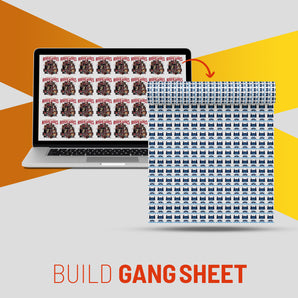
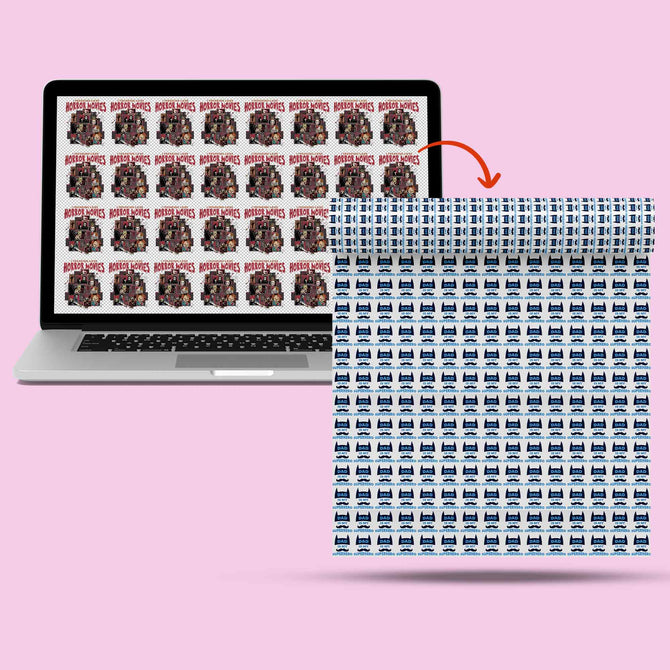
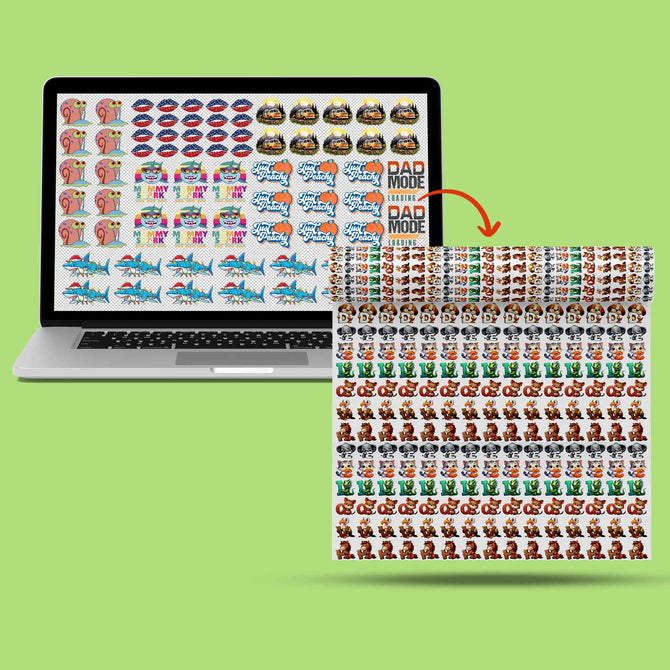
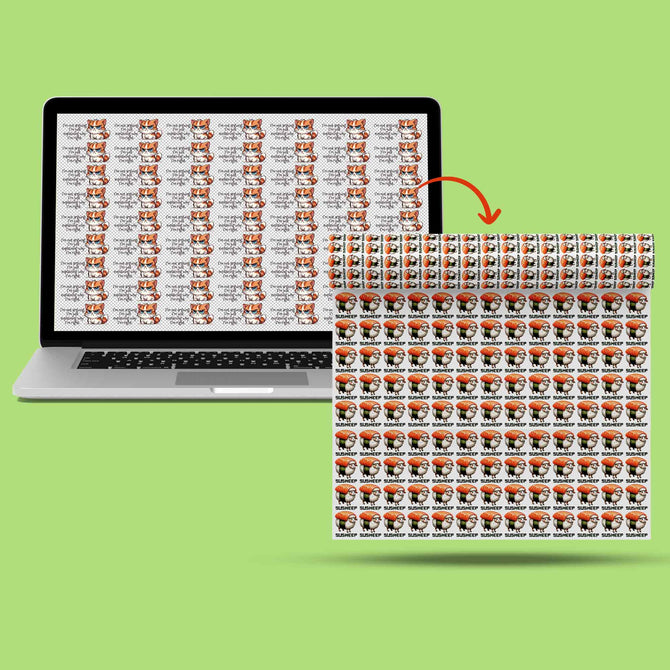
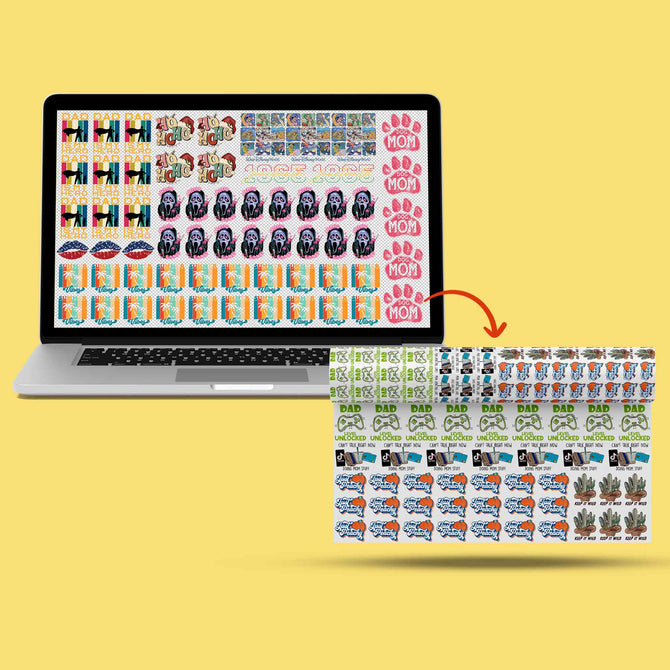
A DTF gang sheet is a powerhouse tool for modern apparel brands. Instead of printing one design at a time, you group dozens of images onto a single continuous roll. It's about efficiency. It’s about volume. By mastering how to layout a dtf gang sheet, you stop paying for individual "hits" and start paying for surface area. This shift alone can slash your production costs significantly. The Direct-to-film (DTF) printing process has revolutionized the industry by allowing for vibrant, durable transfers on almost any fabric; however, that potential is only realized through smart file organization.
Iris DTF serves the Dallas-Fort Worth area from our Richardson facility with a focus on speed and professional reliability. Our 22-inch rolls are the industry gold standard. Whether you're producing custom t-shirts or high-durability UV DTF stickers, the goal is the same: maximum output with zero downtime. We handle the technical heavy lifting. You stay focused on closing sales and building your brand. We've spent over a decade refining this process so you don't have to guess.
Standard Gang Sheet Dimensions for 2026
In 2026, the 22-inch width remains the non-negotiable benchmark for professional equipment. It provides the perfect balance of scale and manageable handling. While the width is fixed, the length is your playground. Small runs typically range from 12 to 24 inches. Standard production often hits the 60-inch mark. For bulk operations, we regularly run sheets 120 inches or longer. Choose your length based on your current order volume. If you have 50 small chest logos, don't buy 50 individual transfers. Gang them onto a 22x60 sheet and protect your margins.
The Economics of the "Nesting" Mindset
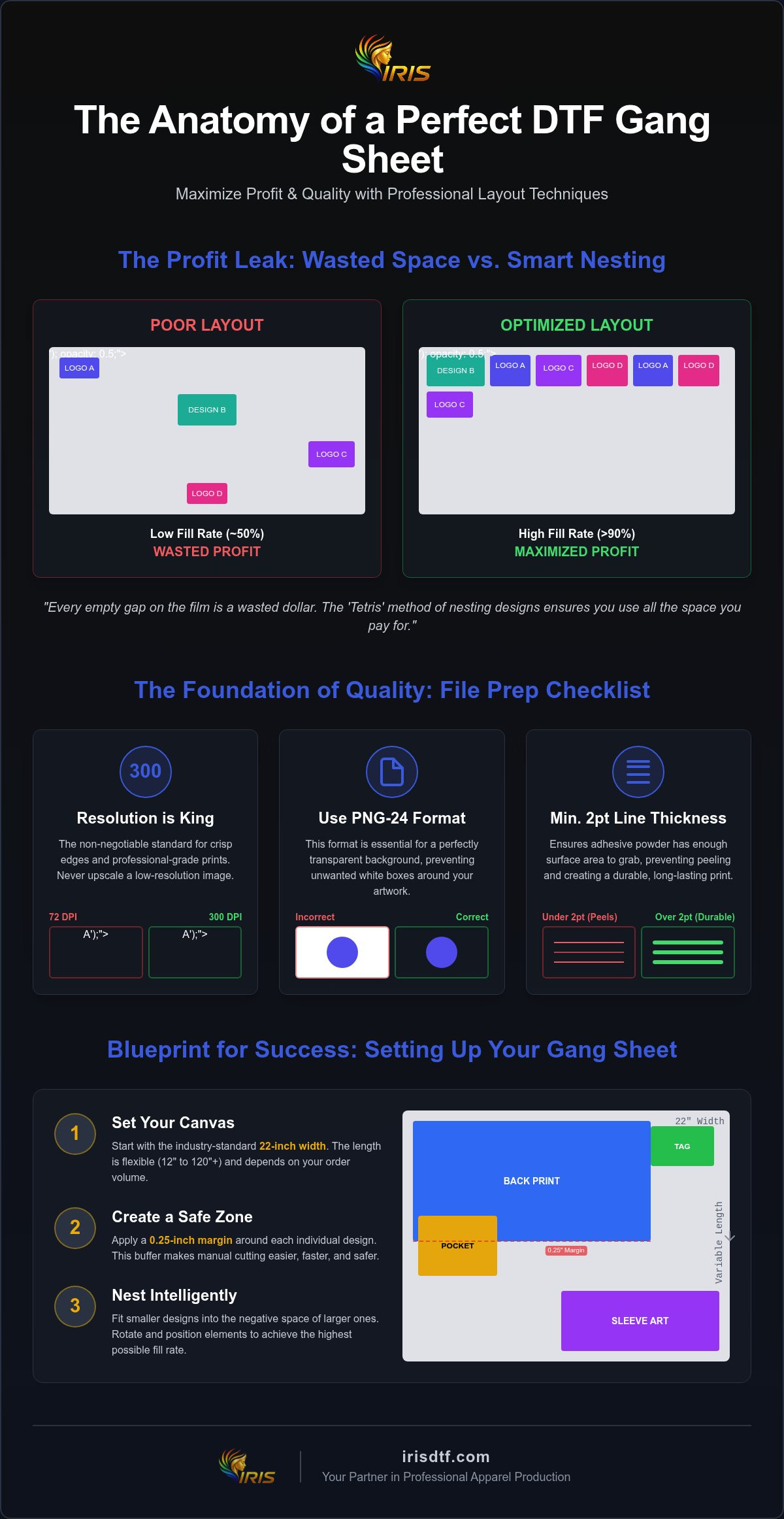
Professional apparel brands don't just "place" art; they nest it. Every empty gap on that film is a wasted dollar. Moving from a hobbyist mindset to a professional one means viewing your gang sheet as a high-stakes puzzle. This introduces the concept of "fill rate." Fill rate is the percentage of the film covered by actual ink versus white space. You want this number as high as possible. Aggressive profit optimization means tucking pocket logos into the negative space of large back prints. You're paying for the film. Use all of it. This methodical approach ensures you get the most value out of every square inch we print in our Richardson facility.
Technical File Preparation: The Foundation of Quality
High-efficiency layouts mean nothing if the source art is blurry. Professional results demand high-resolution assets. The golden rule for any DTF project is 300 DPI (Dots Per Inch). Anything lower results in jagged edges and visible pixelation. When learning how to layout a dtf gang sheet, you must prioritize this metric from the start. We recommend exporting your designs as PNG-24 files. This format ensures a perfectly transparent background, preventing unwanted white boxes around your artwork. It is the industry standard for a reason.
To meet the technical requirements for digital printing, your files must be clean and properly formatted. This isn't just a suggestion; it's the difference between a shirt that sells and a shirt that gets returned. Be especially careful with "fine lines." Any detail under 2pt is at risk. The adhesive powder needs enough surface area to grab onto the ink. If your lines are too thin, they won't transfer properly during the heat press stage. This leads to peeling and poor durability. We want your prints to last as long as the garment itself.
Resolution and Scaling Secrets
Never "upscale" a small image. Simply changing the resolution from 72 to 300 DPI in software like Photoshop doesn't add detail; it just makes the blur bigger. You must start with high-quality vector files or high-res rasters. Check your resolution at the actual print size. If your logo is 10 inches wide, it needs to be 3000 pixels wide. Pixelation is amplified under a heat press. A slightly fuzzy edge on your screen becomes a glaring flaw on a finished garment. We see this mistake often. It is an easy fix that saves hours of frustration and wasted film.
Color Management for Dallas Brands
Consistency is everything for local clothing lines. DTF printing relies on a white ink underbase to make colors vibrant on dark fabrics. This layer must be solid and precise. If you're designing custom DTF transfers for a new collection, keep your color palette unified across the entire gang sheet. Iris DTF handles the technical color matching, but starting with CMYK-optimized files helps maintain accuracy. UV DTF stickers require similar attention. They often use a specialized backing; ensure your transparency settings are locked in before you hit export. This preparation ensures your brand looks professional from the first shirt to the last sticker.
Step-by-Step Layout: Canva vs. Professional Software
Choosing the right tool is less about the brand name and more about the output quality. Whether you use beginner-friendly platforms or high-end design suites, the logic of how to layout a dtf gang sheet remains identical. You need a 22-inch wide canvas. You need high-resolution assets. Most importantly, you need a workflow that makes cutting and pressing easy once the film arrives in your hands. Precision in the digital phase prevents headaches in the production phase.
Building Your Sheet in Canva
Canva is a favorite for its accessibility, but many users fail at the export stage. Start by creating a "Custom Size" document. Set your width to exactly 22 inches and your length to your desired roll size, such as 24 or 60 inches. Don't guess. Use the "Position" tool to align your designs with military precision. This prevents overlapping and saves space. When you're finished, don't just download a standard file. Choose "PDF Print" and select the CMYK color profile if you have a Pro account. If not, a high-res PNG with transparency is your next best bet. This ensures the highest fidelity for our Richardson-based production team.
Professional Layouts in Photoshop & Illustrator
For high-volume brands, professional software offers unmatched control. Adobe Illustrator is the gold standard for vector-heavy designs. Use Artboards to manage multiple sheet lengths within a single file. This keeps your project organized and scalable. Photoshop is better for complex photographic elements or high-detail rasters. Use layers to group different design sets. This makes it easy to swap elements without starting over when you're refining how to layout a dtf gang sheet for different garment sizes. Always work at 300 DPI from the moment you open the file. Vector files are preferred for sharp text; high-res rasters handle gradients and shadows best.
Regardless of your software choice, follow this "Print-Ready" checklist before uploading your file to Iris DTF:
- Width check: Is the canvas exactly 22 inches wide?
- Transparency: Is the background completely removed?
- Spacing: Is there at least 0.25 inches between designs for easy cutting?
- Resolution: Are all imported images 300 DPI at their final print size?
Getting these details right ensures a fast turnaround. It guarantees professional-grade results every time you press. We handle the technical printing so you can focus on growing your brand and closing more sales.
Advanced Nesting Strategies to Maximize Profit
Every square inch of film you leave empty is a direct hit to your bottom line. Professional apparel brands don't just place designs; they optimize them. Mastering how to layout a dtf gang sheet means thinking like a logistics expert. We call this the "Tetris" method. It involves taking your large back prints and filling the surrounding negative space with smaller assets. This strategy turns a standard run into a high-margin production powerhouse. It's the fastest way to lower your cost of goods sold (COGS) without sacrificing an ounce of quality.
Precision is key when you're packing a sheet this tightly. You must leave at least 0.25 inches of margin between every design. This "bleed" area is non-negotiable for manual cutting. If you crowd your designs too closely, you'll spend more on labor and ruined transfers than you saved on film. Also, watch out for "invisible" boxes. Many design tools create transparent bounding boxes that can overlap other art. Ensure every element is cropped to its visible edges before finalizing your file. This prevents technical glitches during the printing process at our Richardson facility.
Nesting Small Assets and Neck Labels
Neck labels are the ultimate gap fillers. They're small, flexible, and essential for professional branding. Instead of giving them their own dedicated row, tuck them into the corners of larger chest pieces. Don't be afraid to rotate your designs. Flipping a sleeve hit 90 degrees might be the move that lets you fit three more logos on a single 60-inch roll. Visualizing the cut is a critical skill. If you place designs in a zigzag pattern that requires complex scissor work, you're slowing down your team. Keep your cuts straight and your margins consistent to maintain a "ready-to-work" workflow.
Optimizing for the Heat Press
Smart layouts don't just save film; they save time at the press station. Group your designs by garment type. If you have a batch of polyester hoodies and a batch of cotton tees, keep their transfers in separate clusters on the sheet. This allows you to cut and organize your workflow based on specific temperature and time requirements. For a deep dive into the next steps of the process, check out our guide on How to Apply DTF Transfers. Organizing your sheet for faster production flow means fewer mistakes and more finished products out the door. Ready to scale your brand? Order your high-efficiency gang sheets from our expert team today and see the difference precision makes.
Ordering and Production with Iris DTF in Richardson
Execution is everything. Once you've mastered how to layout a dtf gang sheet, you need a production partner that matches your speed. Our upload process is built for momentum. It's fast. It's secure. It's professional. We don't believe in delays. Your files move through our system with surgical precision, ensuring that the effort you put into nesting and resolution translates perfectly to the film. We are a high-capacity powerhouse, ready to handle massive commercial orders and small-scale projects with the same "ready-to-work" attitude.
Before your designs hit the printer, we perform a final inspection. This isn't a surface-level glance. It's a professional safeguard. We look for the common pitfalls we've discussed, like low resolution or missing transparency, to ensure your gang sheet is perfect before it hits the film. This behind-the-scenes engine is what makes Iris DTF a reliable partner for your commercial success. We catch the small details so you don't have to deal with big mistakes.
Local Support for DFW Apparel Brands
We are proud of our Richardson roots. Being a local pioneer matters. Brands from Allen to Mesquite rely on us for turnarounds that shipping-only competitors simply can't match. Speed is part of our DNA. You can choose local pickup at our Richardson facility to save on shipping costs and get your products to market faster. It's about community. It's about being the DTF Near Me that actually understands the pace of the Dallas Metroplex. We speak your language and we know your deadlines.
Next Steps: From Digital File to Finished Tee
The transition from a digital file to a finished garment should be seamless. Now that you understand how to layout a dtf gang sheet for maximum value, your profit margins are locked in. The hard part is over. Submit your sheet for a quote today. Prepare for your first bulk order with a team that brings 10+ years of industry expertise to every print. We handle the technical heavy lifting so you can stay focused on design and sales. Let's get your production line moving. Build Your Custom Gang Sheet Now and experience the precision of Iris DTF.
Maximize Your Brand’s Profit Potential
Mastering how to layout a dtf gang sheet is the single most effective way to lower your production costs and scale your apparel brand. By prioritizing 300 DPI resolution and utilizing aggressive nesting strategies like the "Tetris" method, you transform wasted film into high-margin inventory. You've learned how to navigate both Canva and professional suites to ensure every file is print-ready. Now, it's time to put that knowledge into production.
At Iris DTF, we're ready to act as your high-capacity partner. Our Richardson-based facility offers industry-leading 22-inch wide roll capacity and fast local pickup for the entire DFW Metroplex. Every order undergoes an expert file review to guarantee your transfers meet professional standards before they ever hit the press. We handle the technical complexities so you can stay focused on closing sales and growing your business. Success in the custom apparel industry belongs to those who optimize. Order Your Custom DTF Gang Sheets from Iris DTF Today and let's start building your next collection with speed and precision.
Frequently Asked Questions
How many designs can I fit on a 22" x 60" DTF gang sheet?
Capacity depends entirely on your specific design dimensions. For a standard 12 inch back print, you can typically fit five designs per 60 inch roll. However, using the nesting strategies mentioned earlier allows you to tuck dozens of smaller chest logos and neck labels into the empty gaps. It is all about maximizing every square inch of the film. A typical high-efficiency mix might include five large prints and 15 smaller assets.
Do I need to mirror my images before uploading them to Iris DTF?
No, do not mirror your designs. Our professional RIP software handles the mirroring process automatically during production. Upload your files exactly as you want them to look on the finished garment. If you mirror them yourself, they will print backward on the final product. Keep your layout "right-reading" to ensure accuracy and speed up our final inspection process at the Richardson facility. We keep the process simple for you.
What is the best software for creating a DTF gang sheet in 2026?
Adobe Illustrator remains the industry gold standard for professional vector layouts. It offers superior control over artboards and scaling for high-volume orders. For those focused on accessibility, Canva is a powerful alternative if you use the "PDF Print" setting for high-res exports. Both are excellent tools for learning how to layout a dtf gang sheet effectively. Choose the software that matches your technical comfort level and production needs.
Can I put different designs for different shirts on the same gang sheet?
Absolutely. One of the biggest benefits of ganging is the ability to mix designs for various projects on a single roll. You can include logos for t-shirts, hoodies, and hats in one file. This versatility is why clothing brands prefer gang sheets; it lowers the cost per print by consolidating multiple small orders into one high-efficiency production run. It is the smartest way to manage your inventory and cash flow.
Why are my colors different on the printed gang sheet compared to my screen?
Screen colors use RGB light, while printers use CMYK ink. Most monitors are also backlit, making colors appear more vibrant than they look on fabric. To get the closest possible match, design your files in CMYK mode from the start. While we use advanced color-matching profiles in our facility, a slight shift is normal when moving from a digital display to a physical transfer. Consistency starts with proper file preparation.
How much space should I leave between designs for cutting?
Leave a minimum of 0.25 inches between every design on your roll. This margin provides a safe "buffer zone" for manual cutting with scissors or a rotary blade. Crowding your designs too tightly increases the risk of accidentally clipping an adjacent logo during production. Consistent spacing is a hallmark of a professional layout. It keeps your workflow moving and prevents wasted transfers during the finishing stage. Precision saves you time and money.
What file format does Iris DTF prefer for gang sheet uploads?
We prefer high-resolution PNG files with transparent backgrounds or print-ready PDF files. If you are using PNG, ensure it is saved as a PNG-24 at 300 DPI. This format preserves the crisp edges and vibrant colors required for professional-grade results. Understanding how to layout a dtf gang sheet includes mastering these export settings to ensure your file is ready for our high-speed printing equipment. Clean files result in clean prints every time.
Can I include UV DTF stickers and fabric transfers on the same gang sheet?
No, these must be submitted as separate files. UV DTF stickers and standard DTF transfers use different films, inks, and production processes. Mixing them on a single sheet is not possible because they run on different specialized equipment. To maintain our high standards for durability and accuracy, please create one gang sheet for your apparel transfers and another for your sticker needs. This ensures each product is manufactured using the correct technical specifications.